
Hacking My Android Keyboard: KeyFX, FUTO Tweaks, and FXboard
When I switched from a Samsung phone to a Pixel, the thing I ended up missing most was surprisingly small: the keyboard. So I started making my new keyboard do more, and then I got a little carried away. The result is keyfx, an open source effects library for Android keyboards, plus two ways to put it on your phone.
How it Started
Before the switch, I moved over to FUTO Keyboard on my old phone so I could get used to it ahead of time. It’s offline, private, and its source is public, which mattered to me. But a few of the Samsung keyboard features I relied on weren’t there.
The new phone could be rooted, which meant I could write an Xposed tweak (an LSPosed module) that changes FUTO Keyboard while it runs. I started with the features I missed, like dragging the spacebar up and down to move between lines, and then started adding visual effects to keypresses because, well, why not.
Once the effects started piling up, I realized none of them really needed to know they were living inside FUTO Keyboard. So I split them out into a library any keyboard can use, and forked FUTO Keyboard itself for the things a runtime tweak can’t do safely, like scaling and shaking the real keys.
One Project, Three Repos
These are three parts of the same thing: one engine and two ways to run it.
keyfx
The engine. A single Android Drawable that sits over the keyboard window and draws every effect. The keyboard just reports what you did (a key went down, a letter was deleted, a swipe passed through these points) and keyfx decides what to draw. Plain graphics, no keyboard code inside. Apache-2.0.
FX for FUTO Keyboard
The root route. An LSPosed / Vector module (the futo-tweaks repo) that adds keyfx and the typing extras to the official FUTO Keyboard app at runtime, so you keep FUTO’s own app and its updates. As it uses LSposed Framework it needs root. Contains no FUTO code. Apache-2.0.
FXboard
The no-root route. A fork of FUTO Keyboard with keyfx built in. Installs alongside the official app, and because the effects live inside the keyboard, it can do the ones that touch the real keys. Source available under the FUTO Source First 1.1 license, like the keyboard it’s forked from. Works without root, but only on Android
The Fun Part: the Effects
There are a lot of them now, and every one has its own settings. A few of my favorites:
- Spacebar trackpad: drag on the keyboard in all four directions to move the cursor, including up and down between lines.
- Combo meter: a counter that grows the more you type or swipe without stopping.
- Backspace tap: the letter you deleted burns, gets cut in half, evaporates or goes through a shredder.
- Backspace hold: as you hold delete, the letters burn up, fly into the delete key, get sucked into a wormhole, are carried off by a tractor beam, or fly back into the keyboard.
- Swipe constellation: swipe typing drops a star at each point where your finger turns, and the stars join up into a constellation of the word.
- Enter: sends a firework up off the key.
- Taps and holds: tapping a key leaves a ghost key floating up, and holding one fills it with a radial charge.
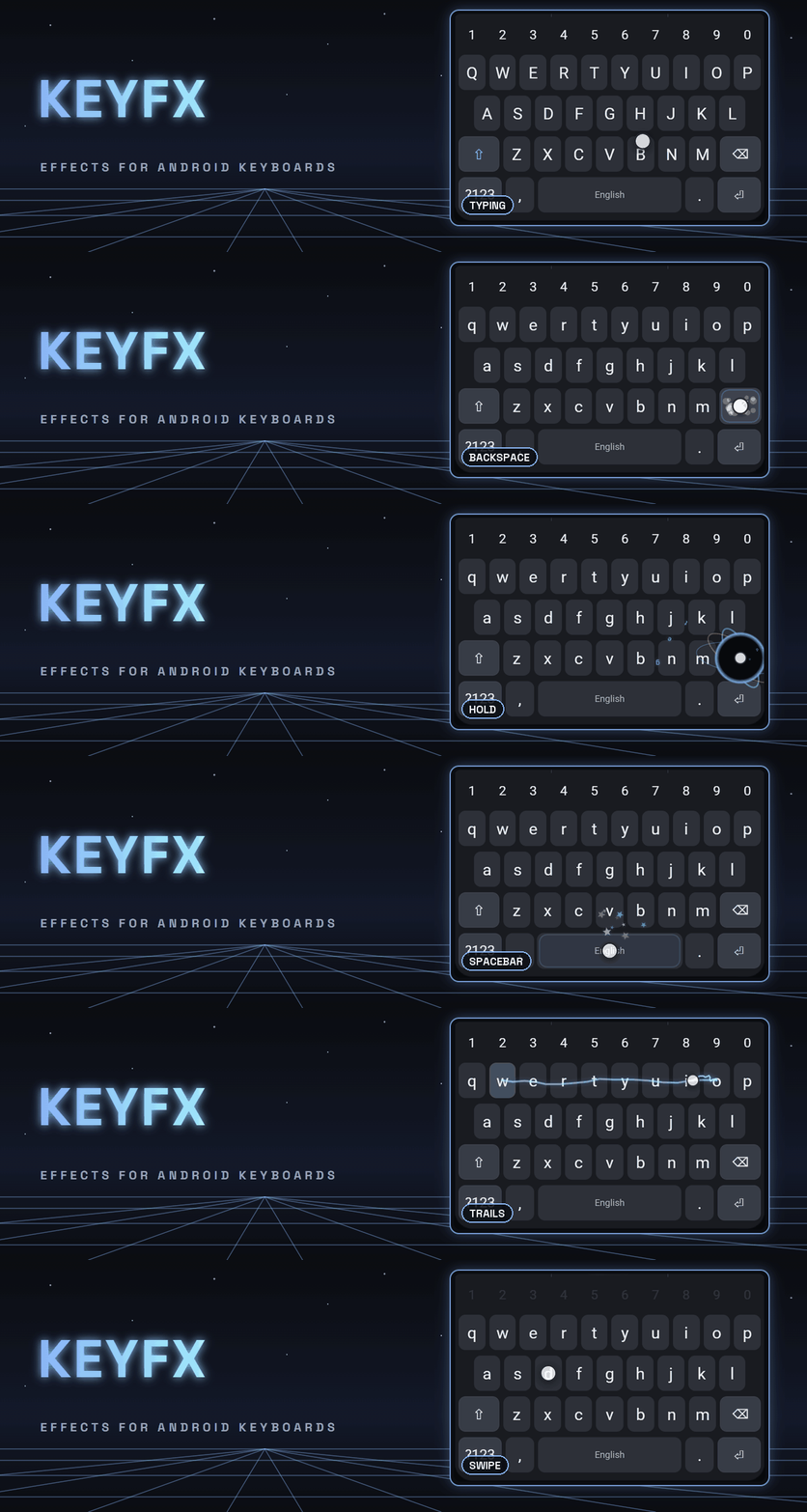
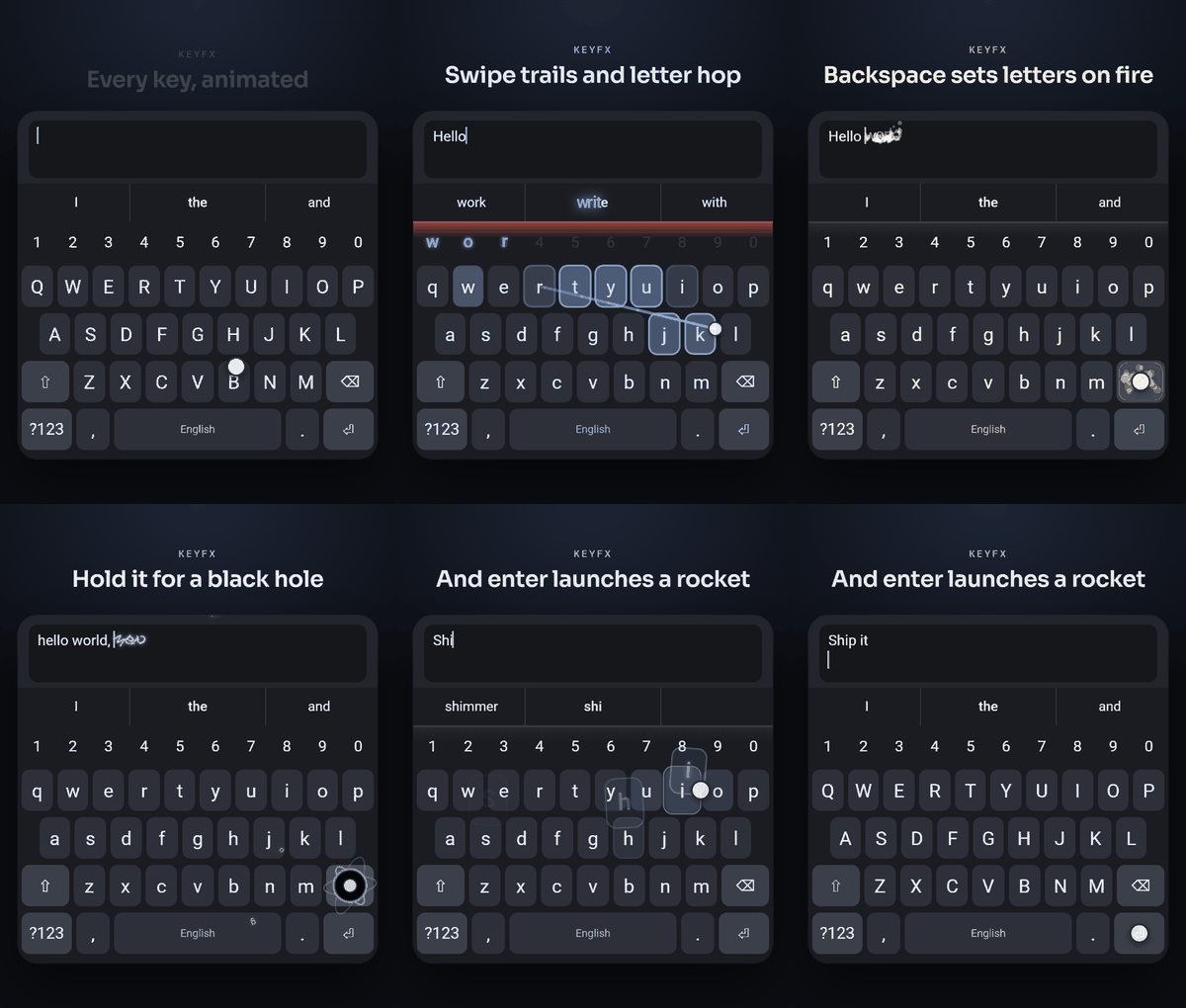
Here they are in action, a few effects per group:
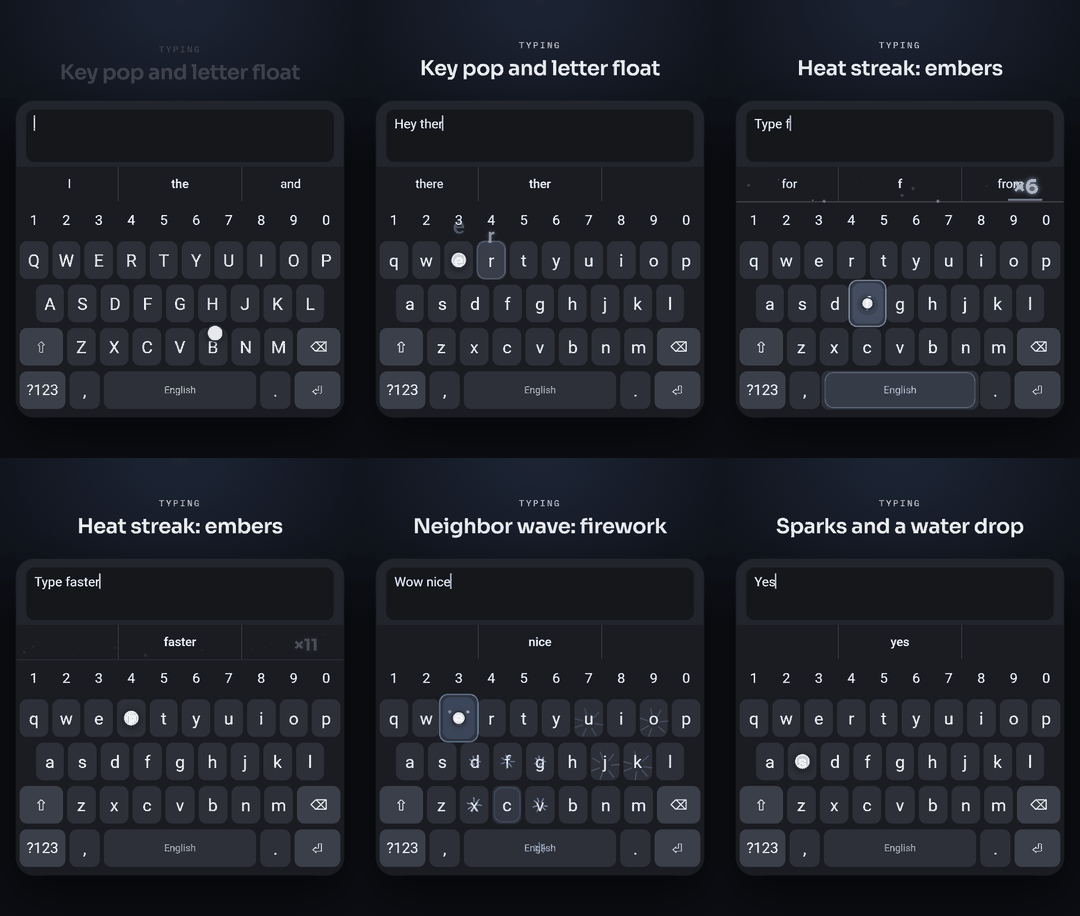
Typing: key pop, letter float, heat streak, neighbor wave, sparks
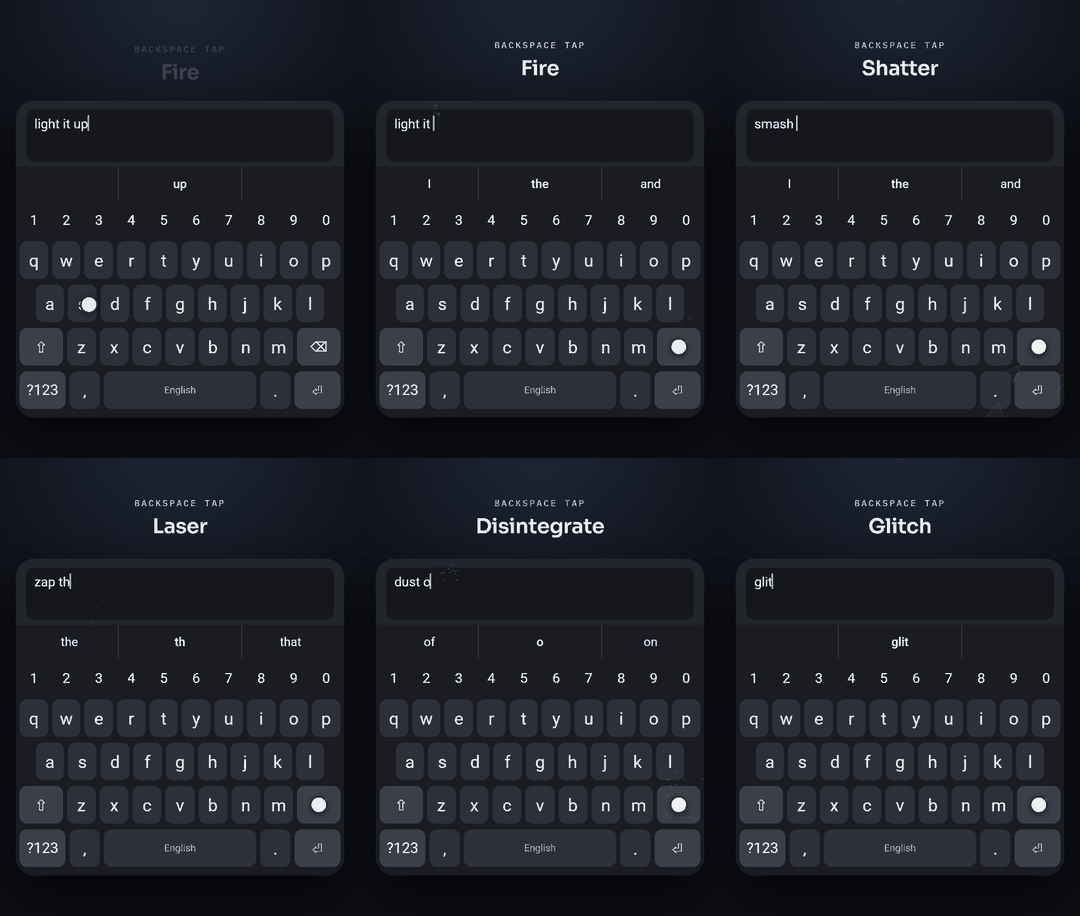
Backspace tap: fire, shatter, laser, disintegrate, glitch
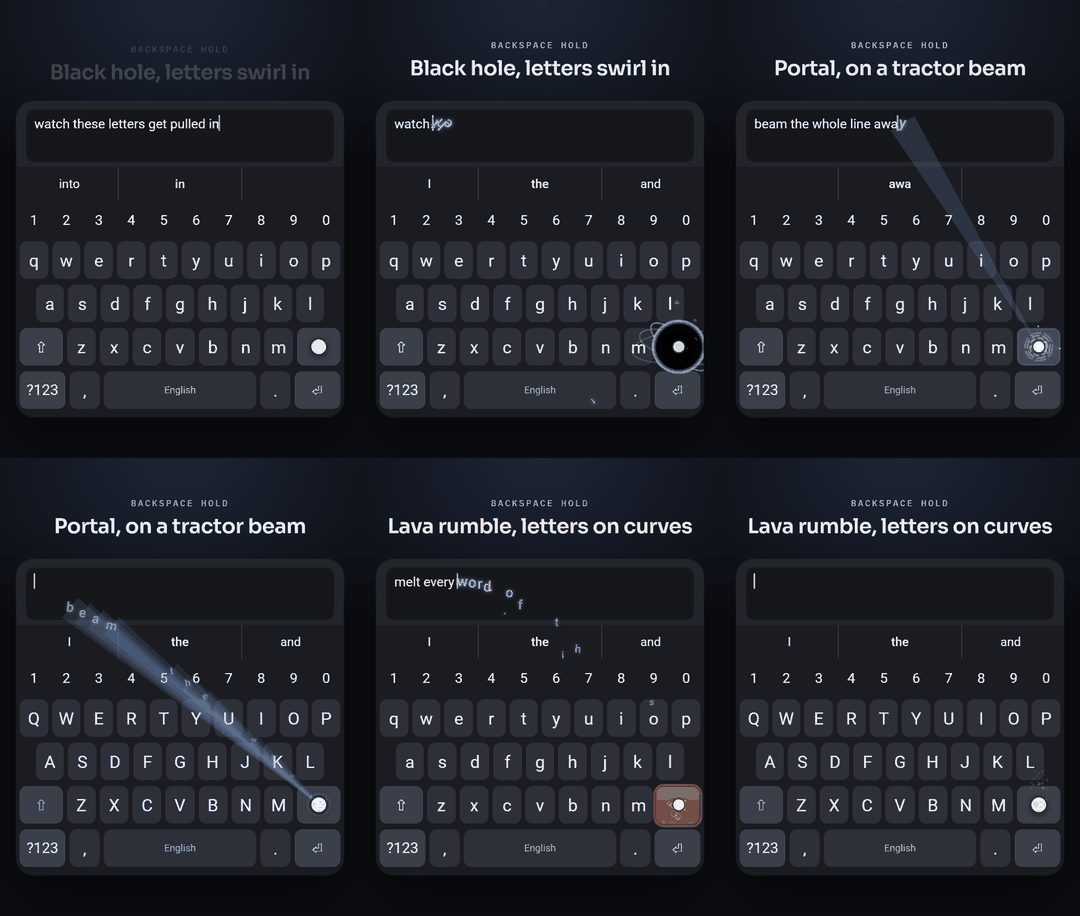
Backspace hold: black hole, portal, lava rumble
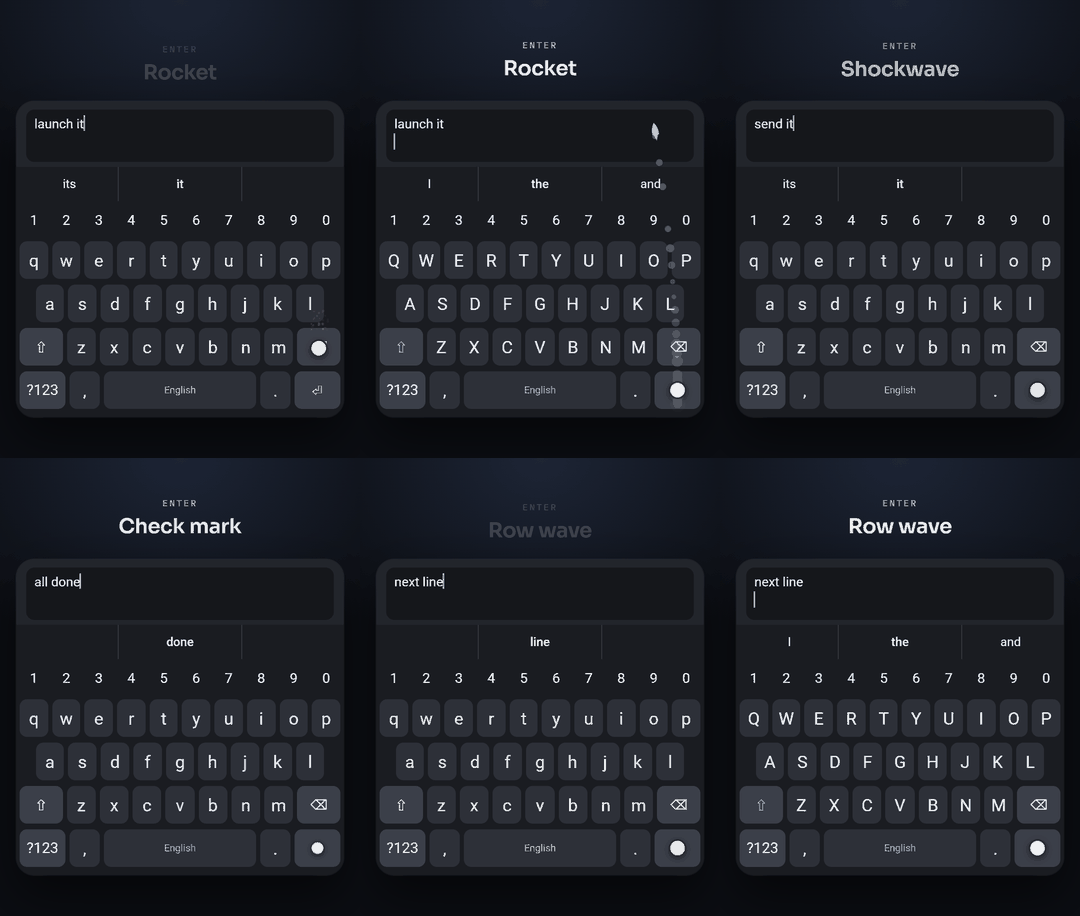
Enter: rocket, shockwave, check mark, row wave
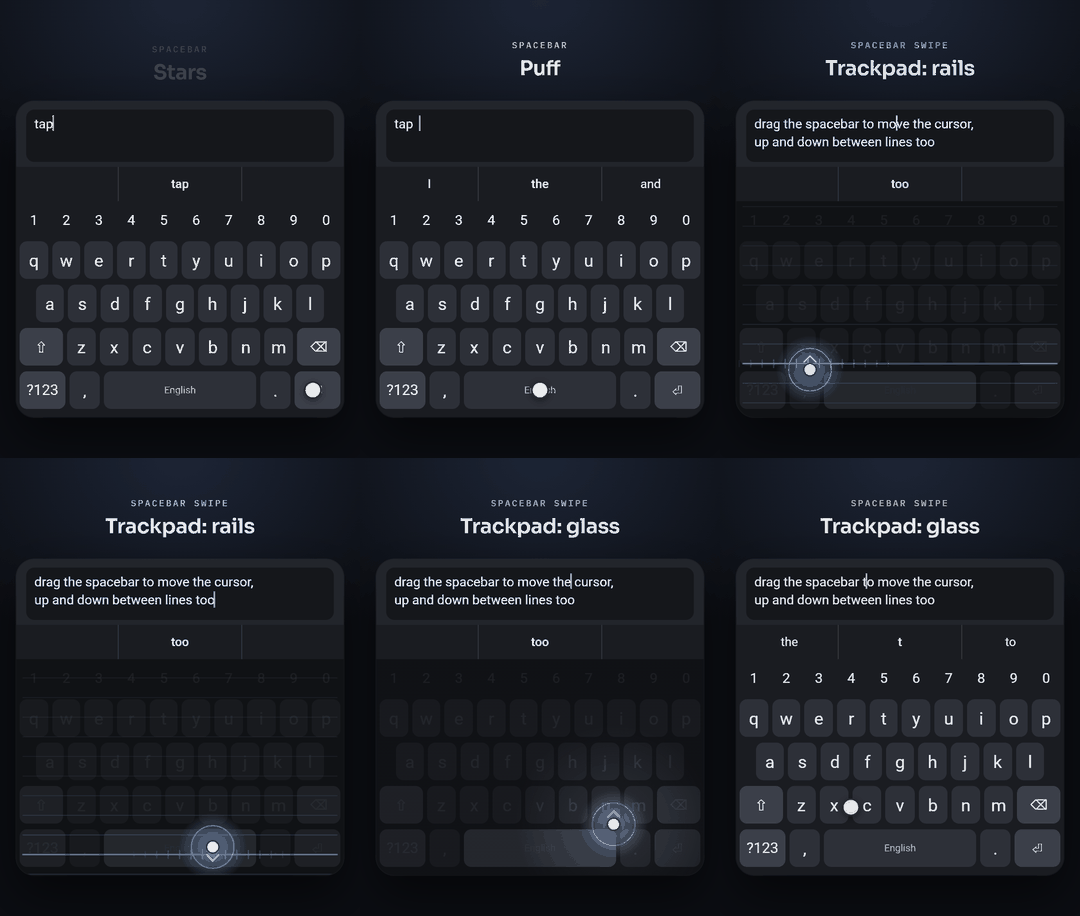
Spacebar: stars, puff and shimmer, then drag it as a trackpad in all 4 directions to move cursor
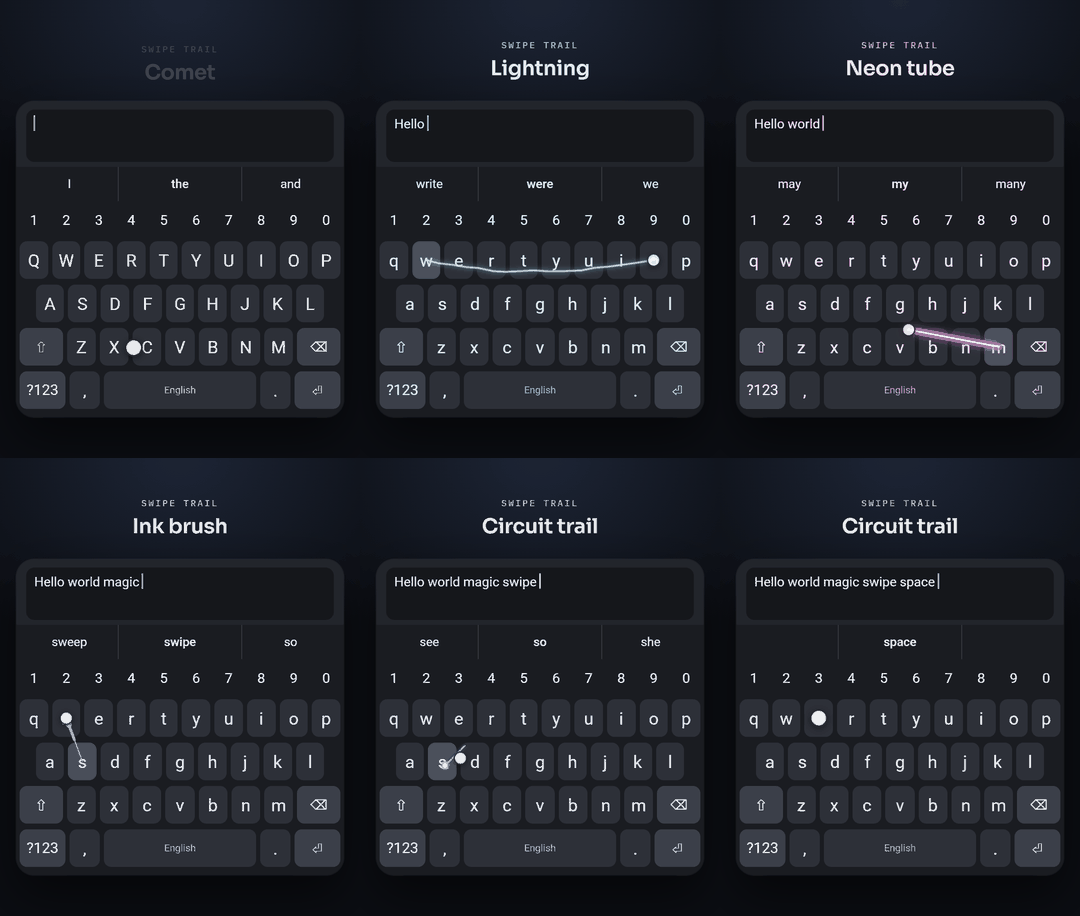
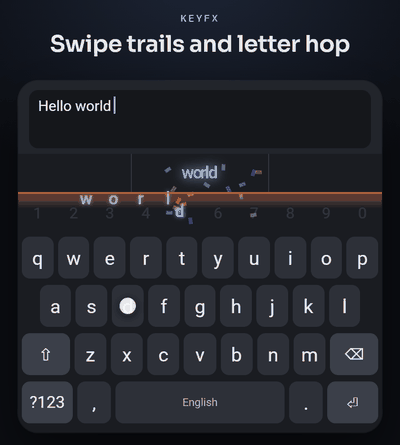
Swipe trail: comet, lightning, neon tube, ink brush, circuit
Try It In Your Browser
Every effect was designed in the keyfx lab: a mock keyboard in a single HTML file, with a slider and live preview for every setting. Those clips above were recorded from it. Play with it below, on a computer or a phone. If you build a combination you like, press Export settings and paste the result into the Import box in either app to put it on your phone.
Usage Info:
- The keyboard icon in the top right brings a virtual keyboard up
- Click preview opens up the keyboard with ONLY that effect active.
- The virtual keyboard offers different auto-input options via buttons
- Type it: Types out a preset phrase key by key
- Swipe it: Uses swipe typing to make a phrase
- Paste it: Just pastes a phrase outright (useful to test deletion effects)
- Stop: Stops mid action.
How It Works
The keyboard that hosts keyfx (the host) tells it two things: where every key is, and what the user is doing. keyfx handles the rest. Settings are described by a schema, so each app generates its settings screen from keyfx instead of hand building one, and changes apply instantly, even with the keyboard open.
Hosts also declare what they’re able to do. The LSPosed module can only draw on top of FUTO’s keys, while FXboard can actually scale, shake and relabel them, so effects that need that deeper access only show up where they’ll work. A few polite defaults come built in too: effects turn off with Android’s “Remove animations” setting, nothing draws in password fields, they follow your Material You accent color, and keyfx has no network code at all.
Q&A
Which one should I install?
If your phone is rooted with LSPosed or Vector and you want to keep the official FUTO Keyboard and its updates, get FX for FUTO Keyboard. If you don’t have root, or you want the effects that move the real keys, get FXboard. If you just want to play, use the lab above.
Is this made by FUTO?
No. All three are independent, unofficial projects of mine, and they aren’t made, endorsed or supported by FUTO. Please send any bug reports to the GitHub issues for these projects, not to FUTO.
A keyboard sees everything I type. Is this safe?
That’s exactly the right question to ask about any keyboard. Official builds only come from each repo’s GitHub Releases, built by GitHub Actions from the commit they name and signed with the key listed in the README. keyfx has no network code and keeps nothing after an effect finishes, and the module has no internet permission. All the source is public, so you can read it yourself.
Can I use keyfx in my own keyboard?
Yes. keyfx is Apache-2.0, so you can use it in your own keyboard, paid ones included, as long as you keep the LICENSE and NOTICE files. It’s meant to be pulled in with git subtree, and the README walks through writing a host.
How were the GIFs made?
The lab has a showcase mode that shows only the keyboard. The clips are scripted recordings of it, made with Readmotion, a tool I built for turning real footage into README GIFs. The scripts live in each repo, so all the clips can be recorded again whenever the effects change.
Conclusion
For me this was a good reminder that the tools we use all day aren’t fixed: even a phone keyboard can be opened up, modified and shared. If you’re around CRASH Space and want to see it on a real phone, or you’re working on your own Android tweaks, come find me. I’d love to compare notes.
Everything is free. If you enjoy the effects, there’s an optional Ko-fi for keyfx and the module.