
CRASH Space has a wide variety of tools and machines for members to use. Check out our summary below, or read on for more in-depth lists. Everything in the space is free for members to use, and some things are free even for non-members!
Print and Design
- Riso Printer
- Paper Cutters
- Screen Printing
- Art Supplies
Electronics
- Electronics Workbench
- Multimeters
- Soldering stations and Hot air gun
- Power Supplies
- Hot knife
- Oscilloscopes and Function Generator
- Wire and Components
- Electronics Kits
Fabrication
- 35 Watt Epilog Laser Cutter (24x12in work area)
- 155 Watt Boss Laser Cutter that cuts sheet metal (55x36in work area)
- Prusa & BambuLab 3D printers
- ShopBot CNC router
- Vacuum Former
- Vinyl cutter
Sewing
- Sewing Machines
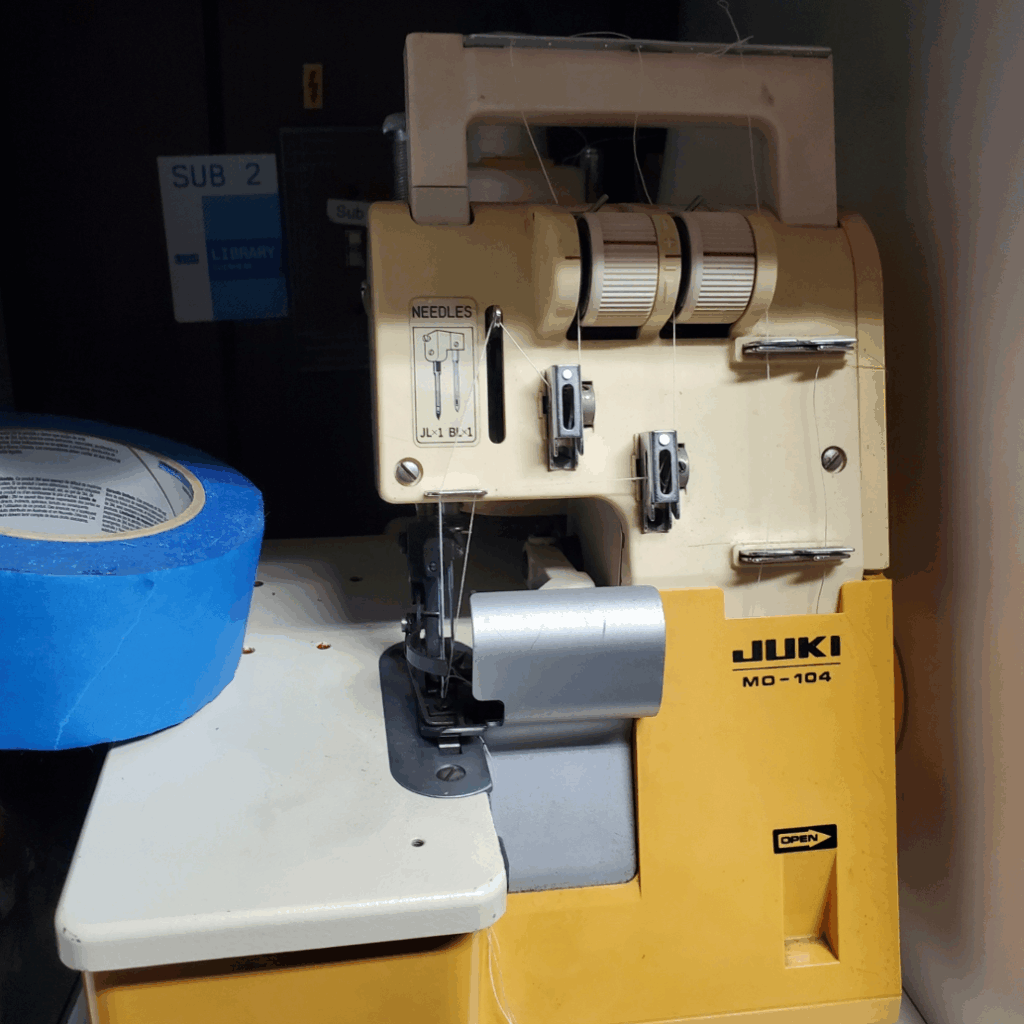
- Serger
- Embroidery Machine
- Fabric and Thread
- Notions
Woodworking
- Chop Saw
- Circular Saw
- Bandsaw
- Drill Presses
- Cordless Drills
- Belt and Orbital Sanders
- Router Table
Machining
- Machining
- Bandsaw
- Manual Mill
- Metal Lathe
- Metal Bending Brake
- Angle Grinders
Facilities By Room
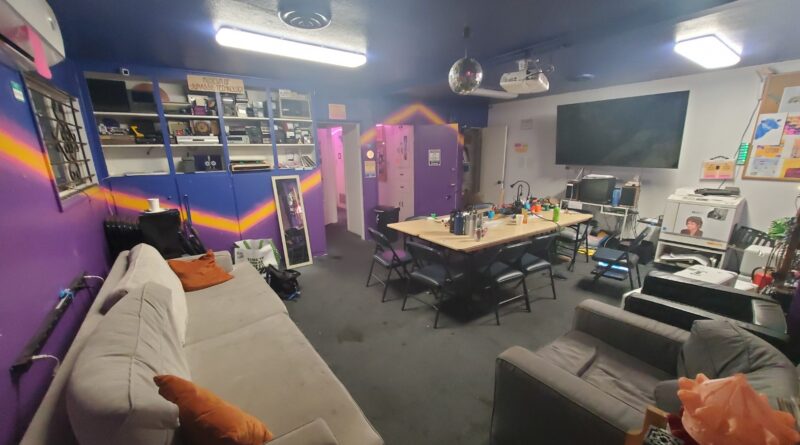
Public Room
What it is used for: The front room where all public events are held and where most people just hang out and do work together. As the name suggests, the public room is open to all, membership or not. This is the room that is shown in the virtual meeting or where we meet physically, and is a common hangout/open discussion spot for everyone. Feel free to bring your crafts and work alongside or with others, but be mindful if there is a scheduled meeting which has priority over the space/active discussion. The front room also has art supplies, crafting kits, and the Risograph.
Picture (click to expand)
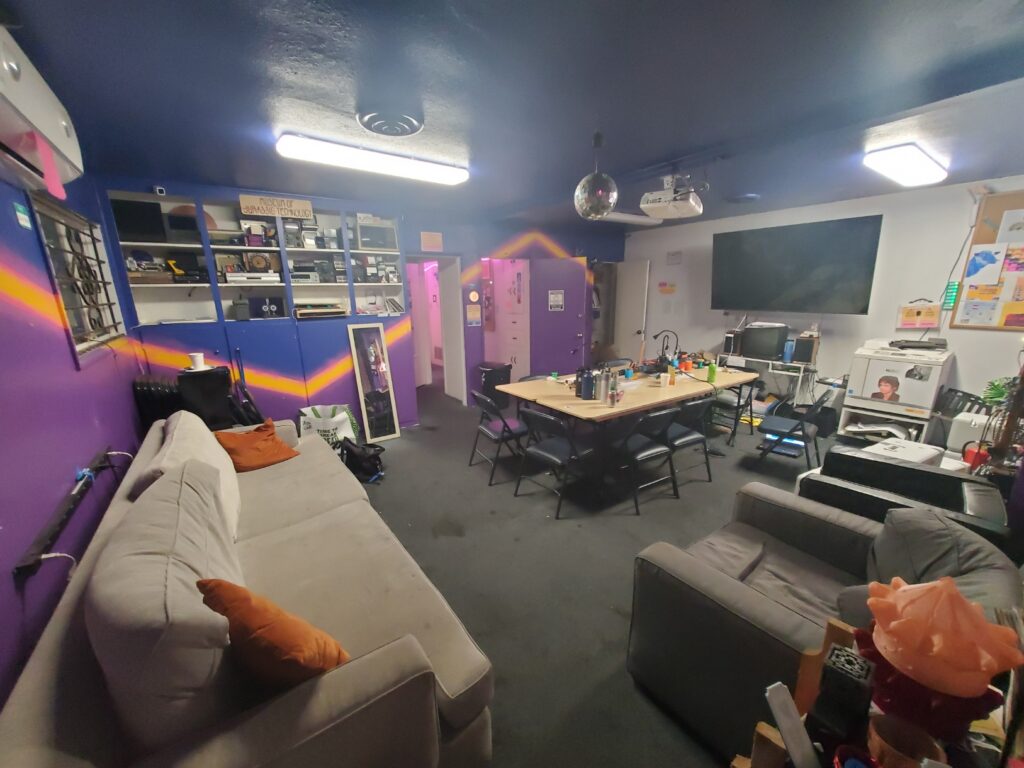
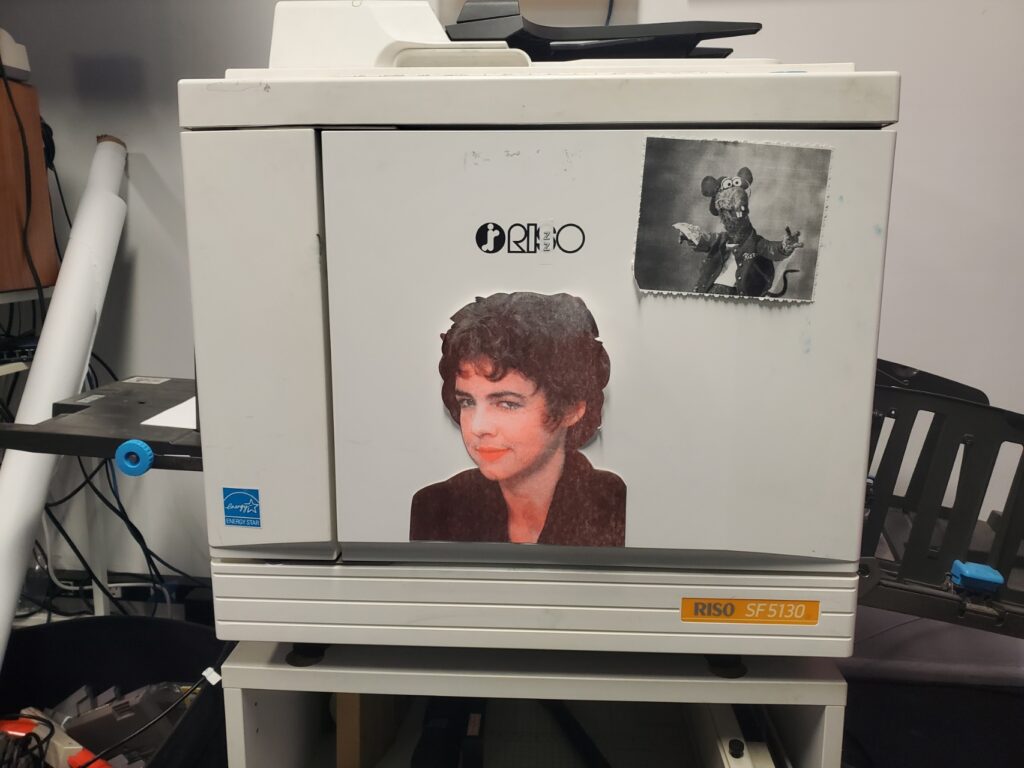
Risograph (Screen Printer For Paper)
- Max object size: 8.5/14 inch max size
- Specific Model: The SF5130 Digital Duplicator
- Fun Name: Betty Rizzo AKA Rizzo (From the movie Grease)
- What it does: a digital duplicator that utilizes a stencil-based printing process, known for its distinctive aesthetic, which includes imperfect registration and bold color combination.
- Software: Spectrolite
- Colors: Aqua, Fluorescent Pink, Yellow, Black, Blue, Scarlet, Fluorescent Orange
- Notes:
- The paper can be found in the hallway cabinet
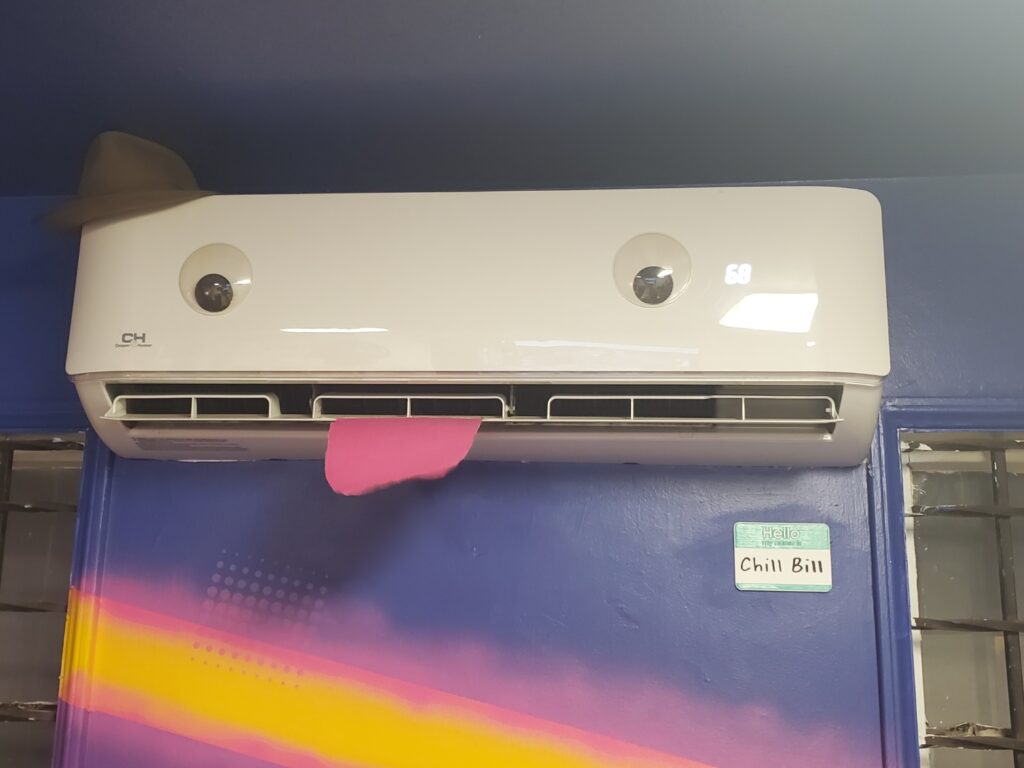
Wall-Mounted Air Conditioner/Heater
- Specific Model: CH Wall Mounted Air Conditioner
- Fun name: Chill Bill
- What it does: Provides white noise, keeps makerspace inhabitants from cooking, waves its tongue at you when activated.
- Notes:
- The remote to tell Bill what to do is located to the left of the front door (rightmost exit door, assuming you are facing the street.
- Occasionally changes hats to keep low profile, but it is still Bill, so chill
- Features integrated googly eye earthquake sensors, and a flappy tongue directional air flow indicator.
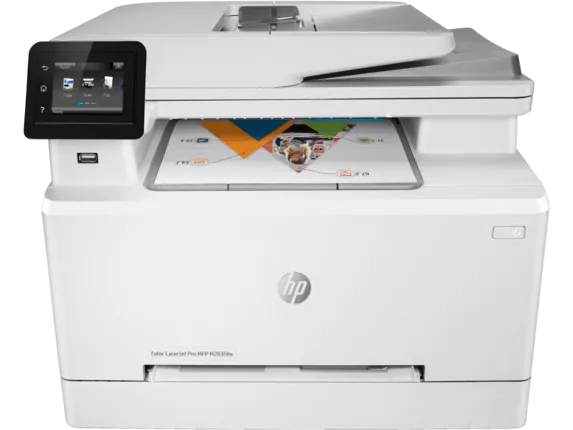
Color Printer
- Specific Model: Hp Color LaserJet Pro M283fdw
- Fun name: Pinocchio
- What it does: Allows wireless and wired (USB A) standard inkjet printing.
- Software:
- Vector Editor: Inkscape, Adobe Illustrator, etc.
- Inkstitch to convert vector file to code for the machine
- Note: If it says it is out of ink, it lies. If it prints a blank page, it may actually be out of ink.
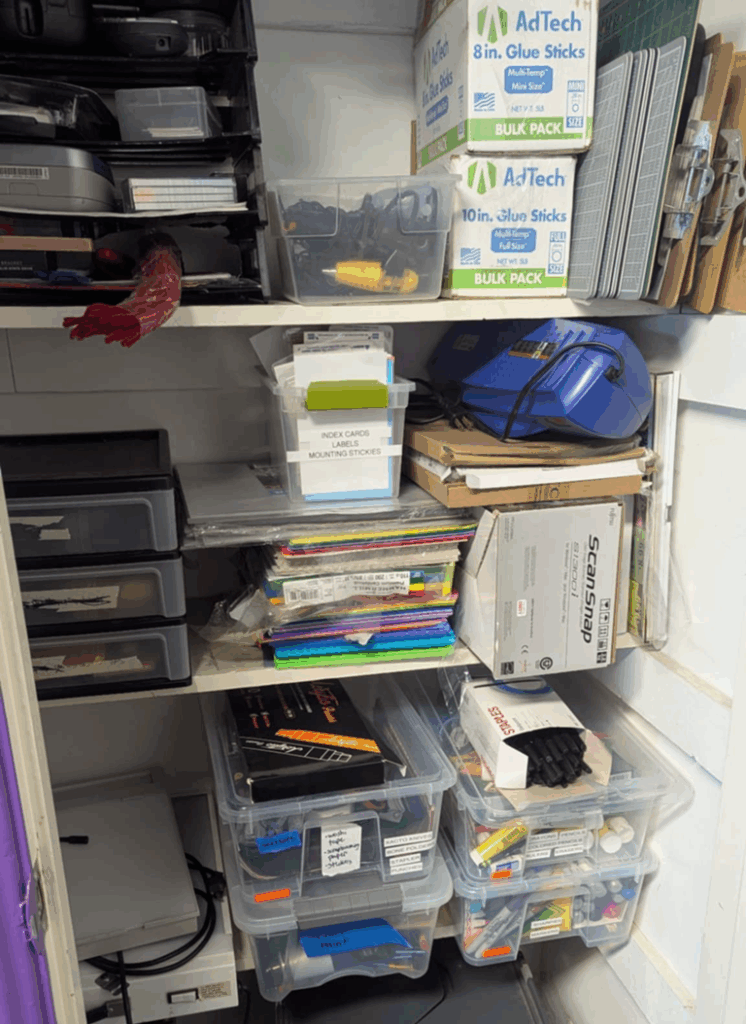
Art Supply Closet
- Silhouette 4 (cutting machine)
- Colored paper (all printer and riso paper can be found in the hallway cabinet)
- Glue sticks and super glue
- Pens/Pencils/Sharpies/Erasers
- Pushpins
- Bone folders
- Xacto blades
- Cutting mats
- Washi tape
- Rulers
- Tape
- Colored pencils/markers/crayons
- Stapler
- Scissors
- Lightboxes
- Laminator
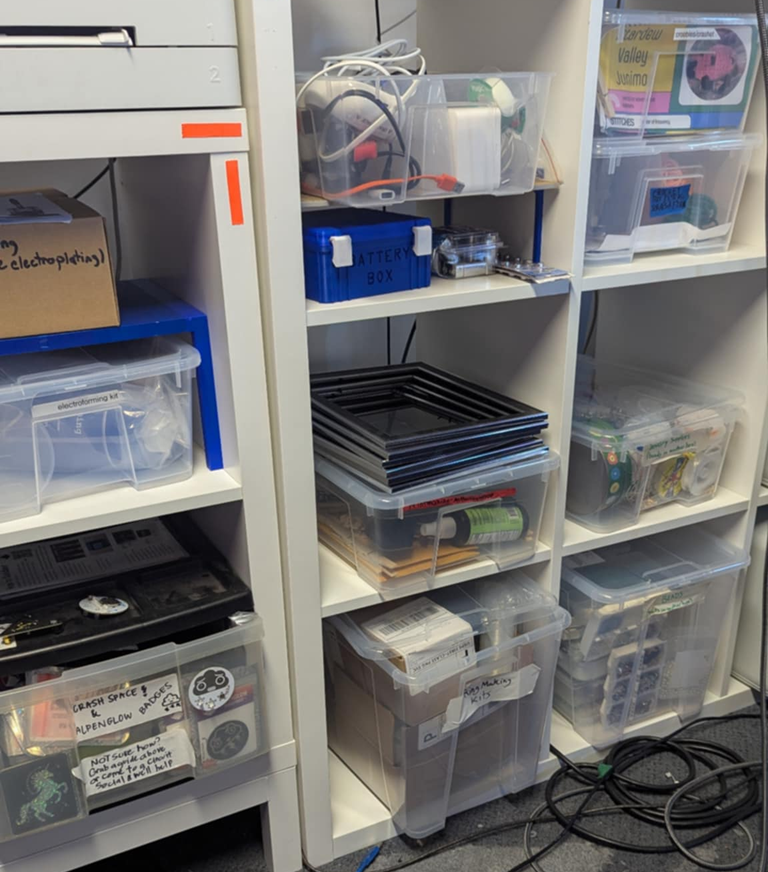
Kits & Tools
- Ring making
- Learn To Crochet
- Beads & Jewelry
- Electroforming
- Electroplating
- Learn to Solder & Badges
- Woodburning
- Mould making (back storage unit)
- Resin (back storage unit)
- Button Maker (back storage unit)
- Heat Press (back storage unit)
Storage
Picture (click to expand)
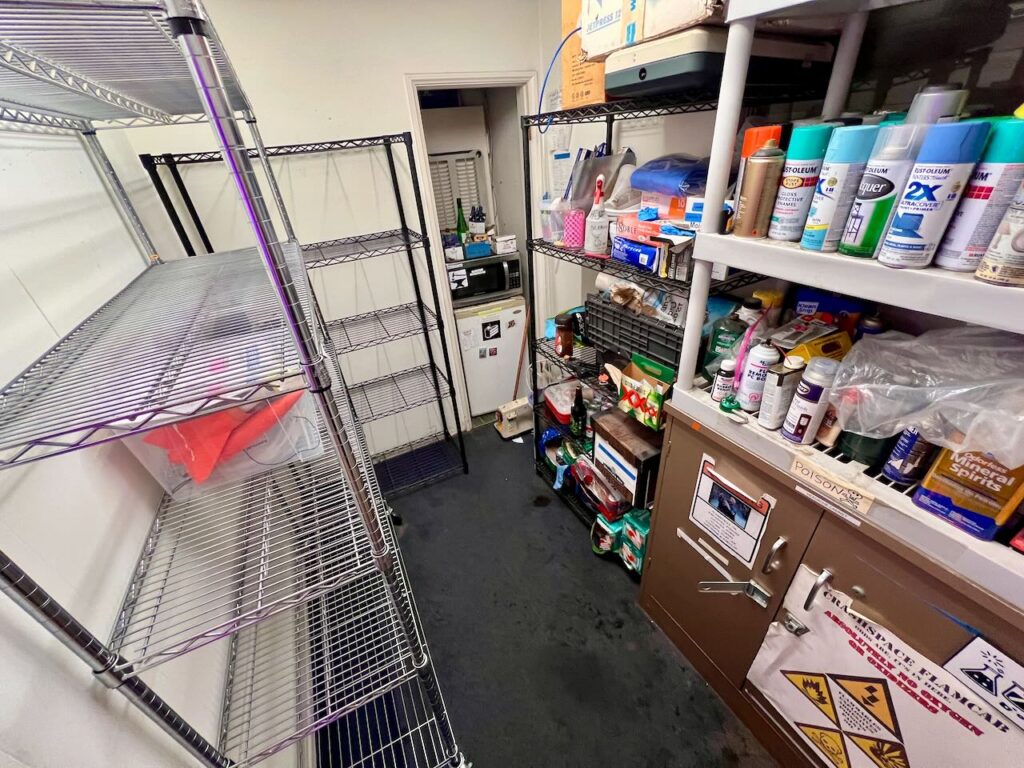
What it is used for: Stores food, lockers, and the chemicals cabinet
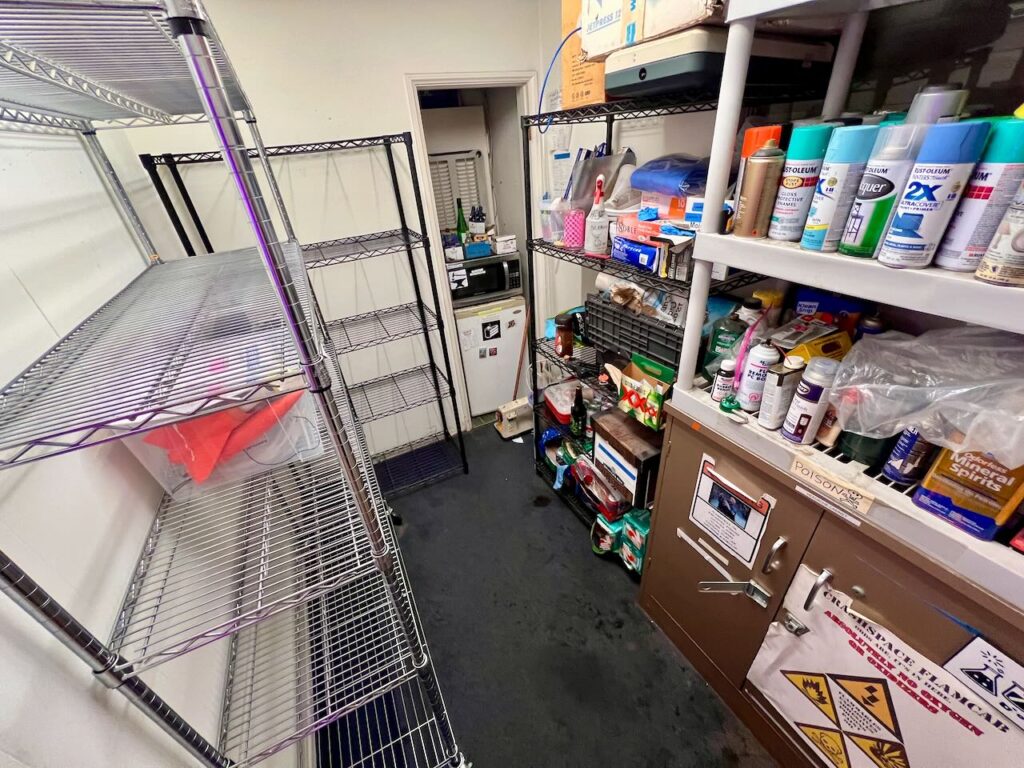
Member Storage
- Wire shelves to make project storage accessible to members. Members can leave items for up to 30 days with a parking permit.
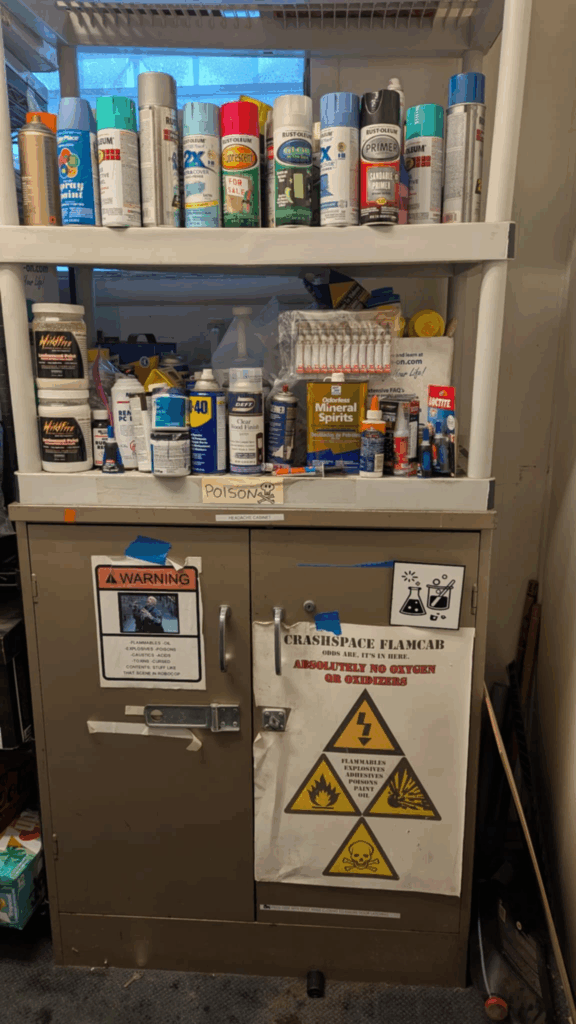
Spray Paint, Adhesives, & Chemicals
- Notes: Stores various spray paint and chemicals, use carefully, and do not drink. You will find adhesives, lubricants and solvents here, including Isopropyl alcohol on the shelf to the left
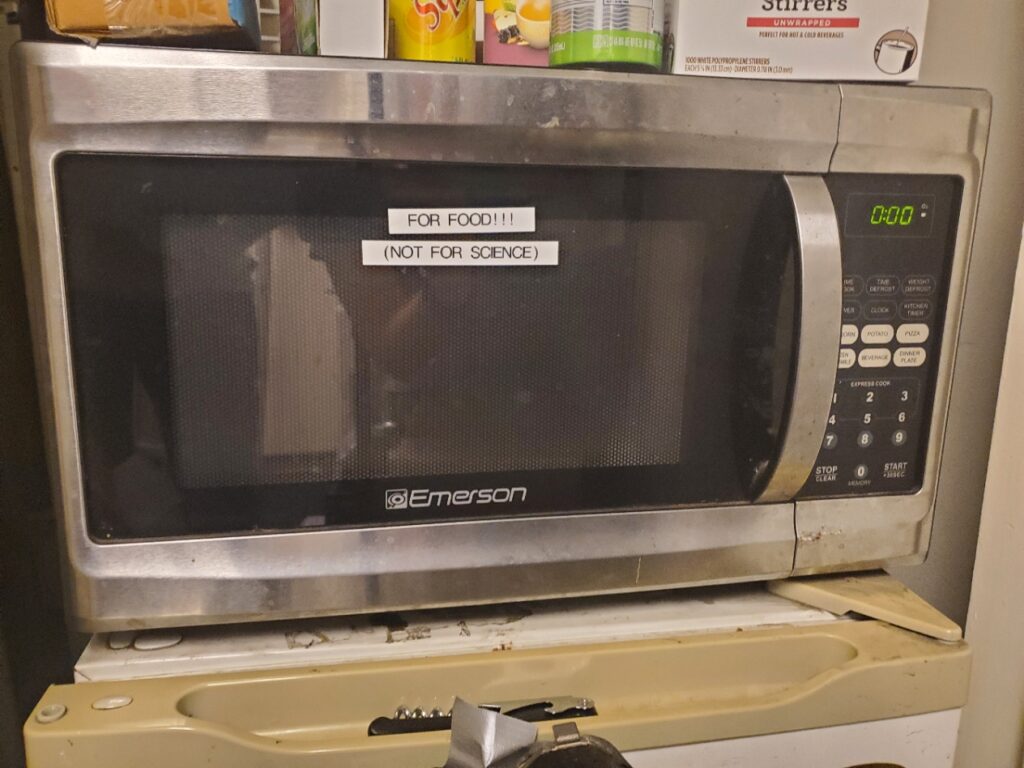
Microwave, Fridge, and Snacks
- Fun Names: The Food Forge
- Notes: The microwave is for food heating up and not for scientific use
FabLab
Pictures (click to expand)
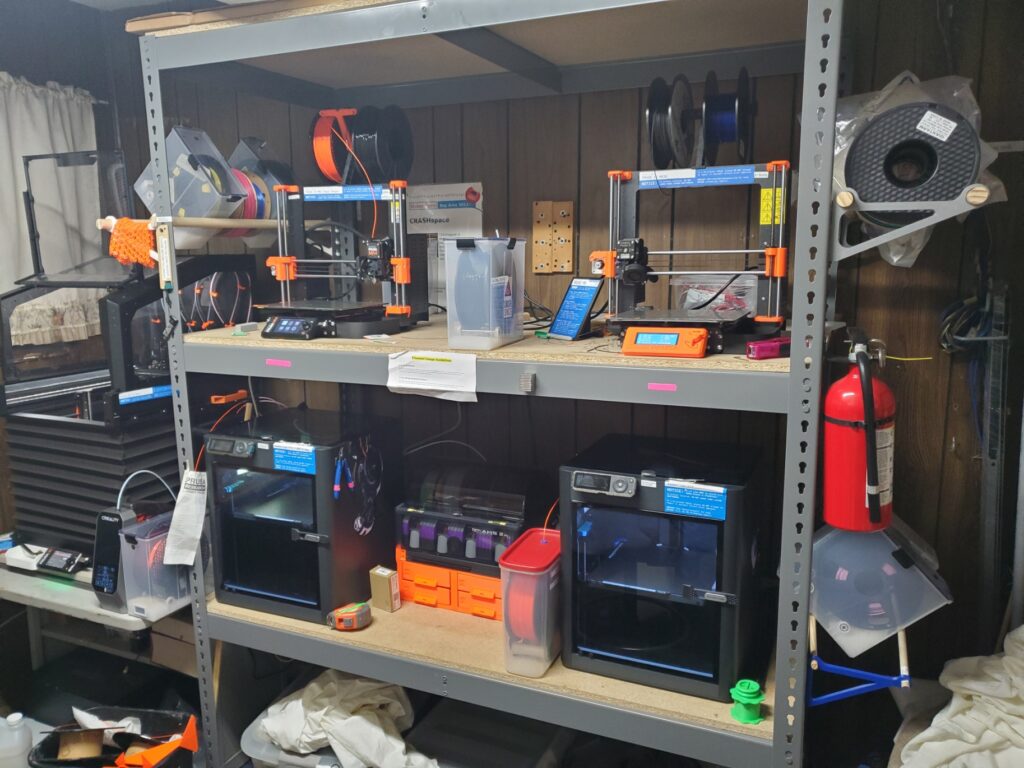
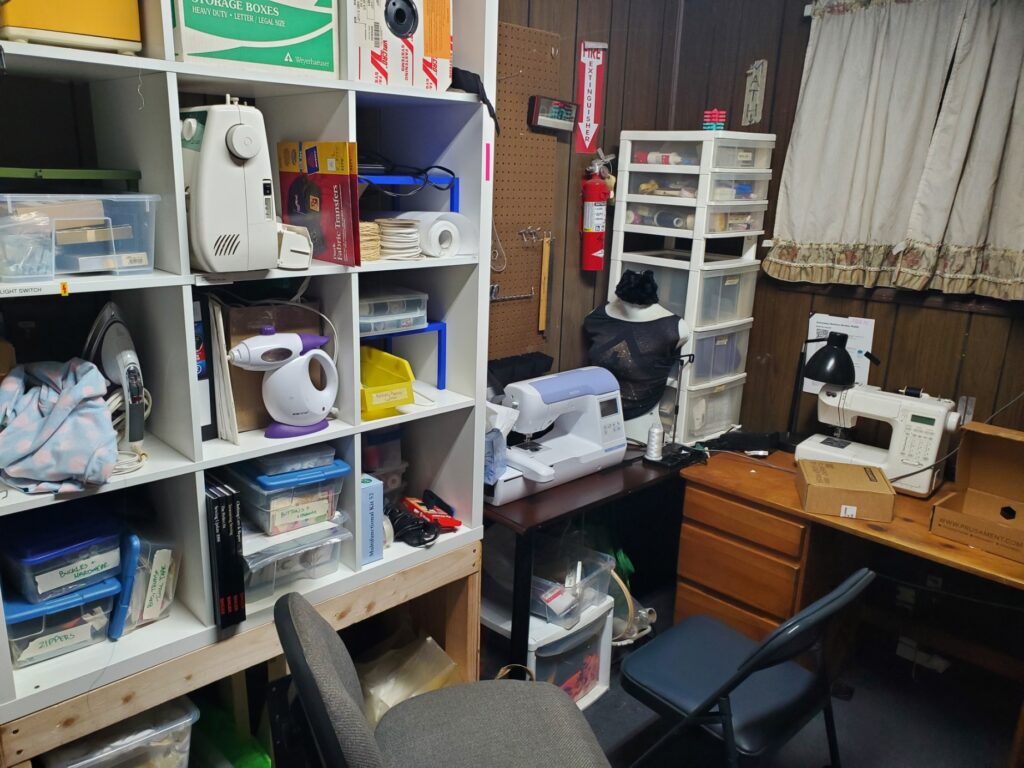
What it is used for: Holds books, 3D printers, and sewing machines
3D Printing Area
Picture (click to expand)
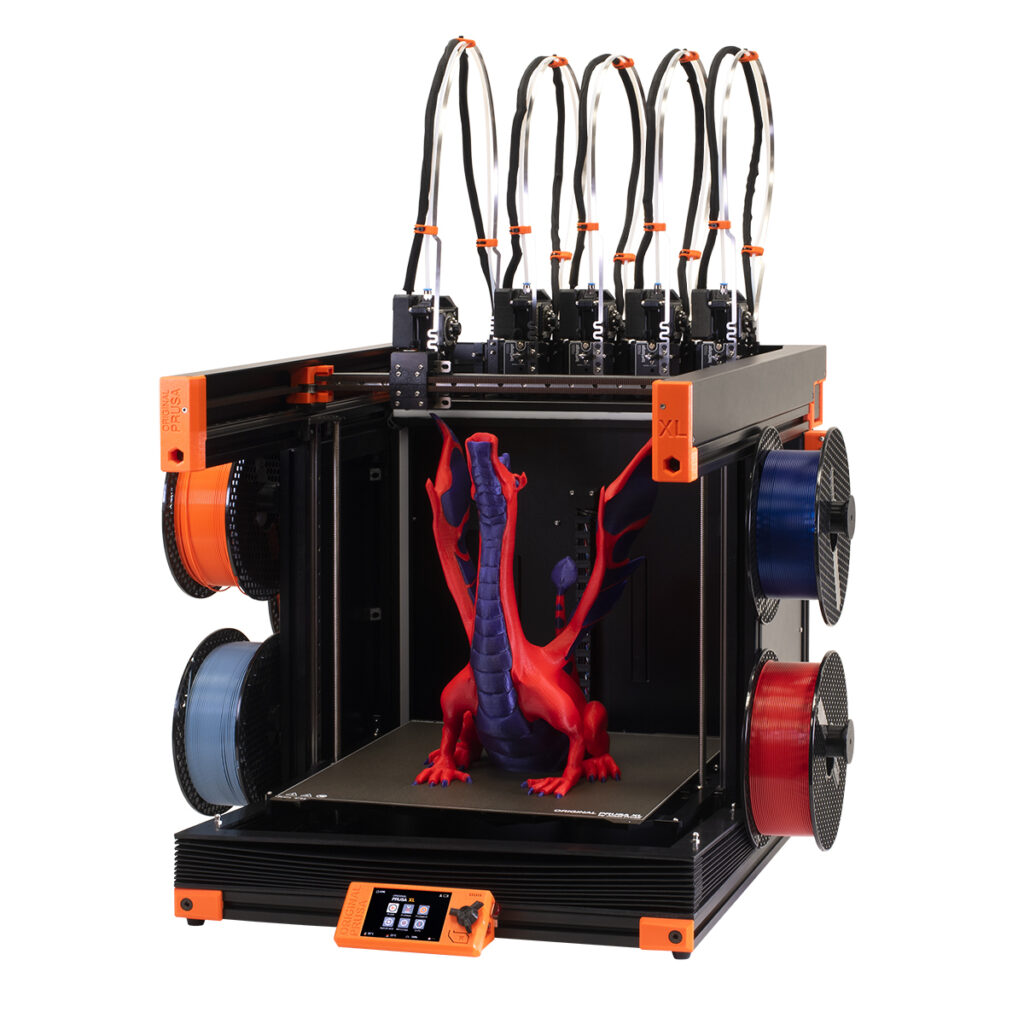
Large Format 5 Toolhead 3D Printer
- Max object size: 360×360×360 mm (14.17 × 14.17 × 14.17 inches)
- Specific Model: Prusa XL (5 toolhead)
- Hardware:
- Core X/Y Movement
- 0.4mm nozzle
- 5 independent toolheads
- This also allows 5 different fillament colors/types
- Fun name: Biggie Smalls (Ron has name priority)
- What it does: lays down filament layer by layer similar to a hot glue gun to build 3d objects out of plastics.
- Note: Has 5 different toolheads multi material or multi color printing. Also has an enclosure for higher temperature printing
- Software:
- Slicer: Prusa Slicer, Orca Slicer
- 3D Model Software: Any (Ex: Blender, Fusion 3D, Tinker CAD, SketchUp)
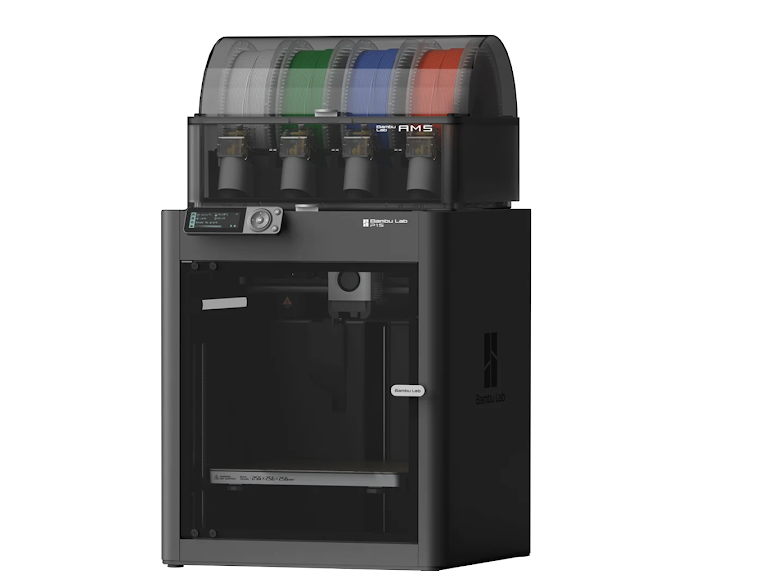
2x Enclosed 3D Printer
- Max object size: 256x256x256 mm (10.07 × 10.07 × 10.07 inches)
- Specific Model: 2x Bambu Lab P1S + 1x AMS 2 Pro.
- Hardware:
- Core X/Y Movement
- 0.4mm nozzle
- Single toolhead
- Note: Wheatley has a multi material unit (AMS 2 Pro) (shown at the top of the picture) that allows for 4 different colors per print. Glados does NOT
- Fun name: Glados & Wheatley
- What it does: lays down filament layer by layer similar to a hot glue gun to build 3d objects out of plastics.
- Software:
- Slicer: Bambu Slicer, Orca Slicer
- 3D Model Software: Any (Ex: Blender, Fusion 3D, Tinker CAD, SketchUp)
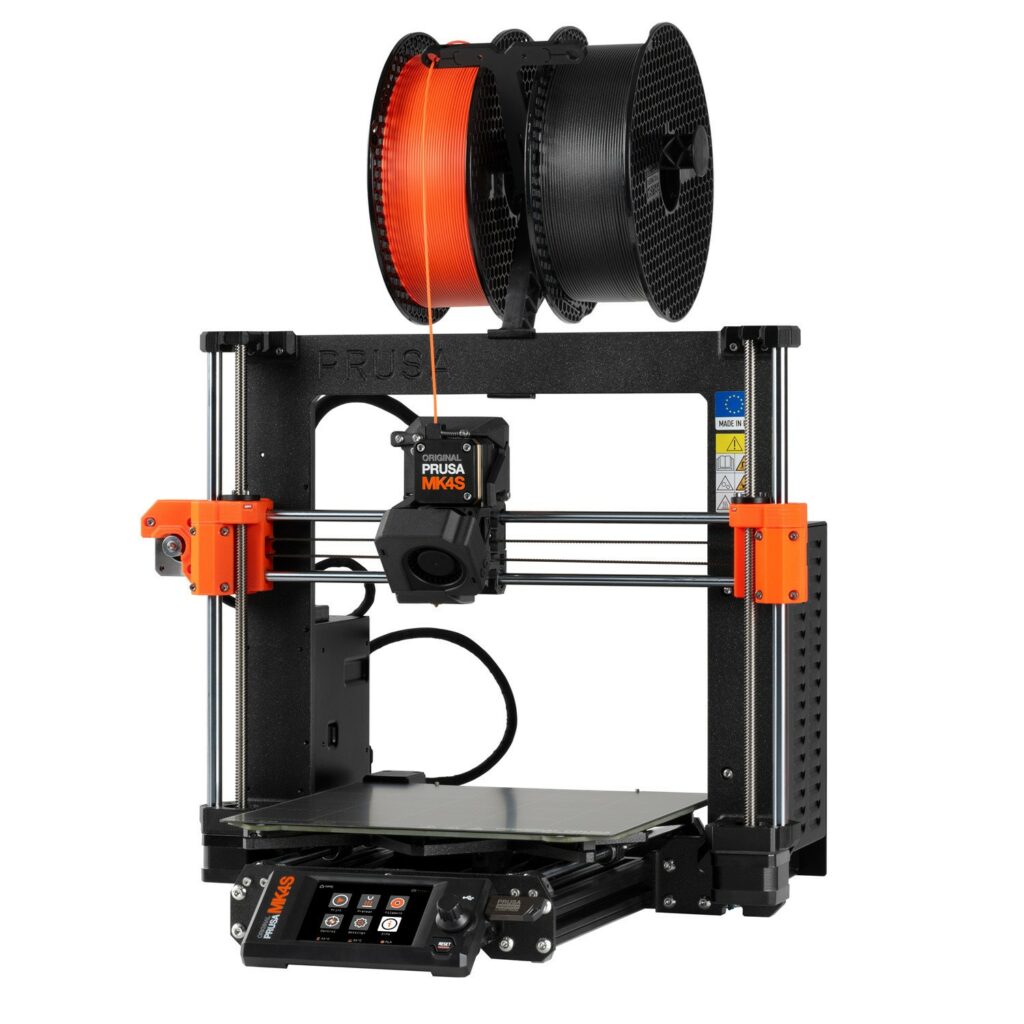
2x Fast Open Frame 3D Printer
- Max object size: 250 x 210 x 220 mm (9.84 x 8.3 x 8.6 inches)
- Specific Model: Prusa Mk 4 Input Shaper
- Fun name: Printcess Leia & Lawrax
- What it does: lays down filament layer by layer similar to a hot glue gun to build 3d objects out of plastics
- Notes: Slice using the input shaper profile in Prusa Slicer or Orca Slicer to take advantage of the extra speed.
- Software:
- Slicer: Prusa Slicer, Orca Slicer
- 3D Model Software: Any (Ex: Blender, Fusion 3D, Tinker CAD, SketchUp)
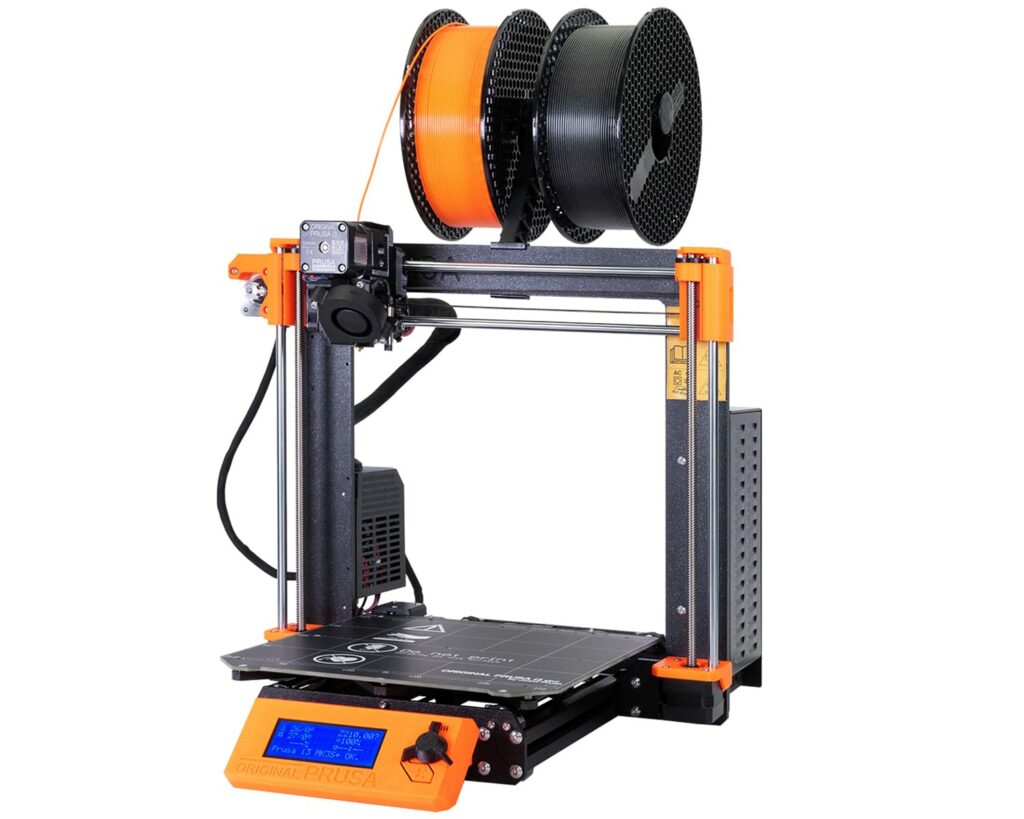
Prototyping Open Frame 3D Printer
- Max object size: 250 x 210 x 220 mm (9.84 x 8.3 x 8.6 inches)
- Specific Model: Prusa Mk 3s
- Fun name: Tweedledum
- What it does: lays down filament layer by layer similar to a hot glue gun to build 3d objects out of plastics.
- Notes: Runs around 1/2 the speed of the Mk4 and print quality is lower. 0.4mm nozzle.
- Software:
- Slicer: Prusa Slicer, Orca Slicer
- 3D Model Software: Any (Ex: Blender, Fusion 3D, Tinker CAD, SketchUp)
Sewing Area
Pictures (Click to Expand)
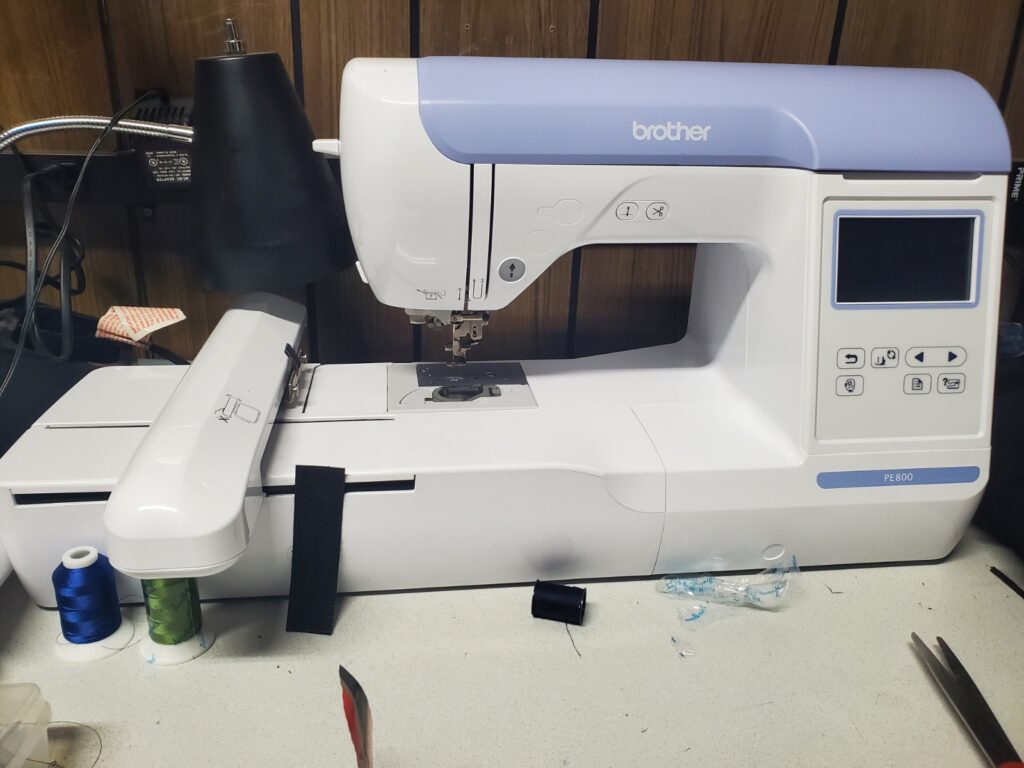
Embroidery Machine
- Specific Model: Brother PE 800 Embroidery Machine
- Fun name: Vlad the Impaler
- What it does: Uses software to automate sewing and embroidery patterns based on passed in files
- Software:
- Vector Editor: Inkscape, Adobe Illustrator, etc.
- Inkstitch to convert vector file to code for the machine
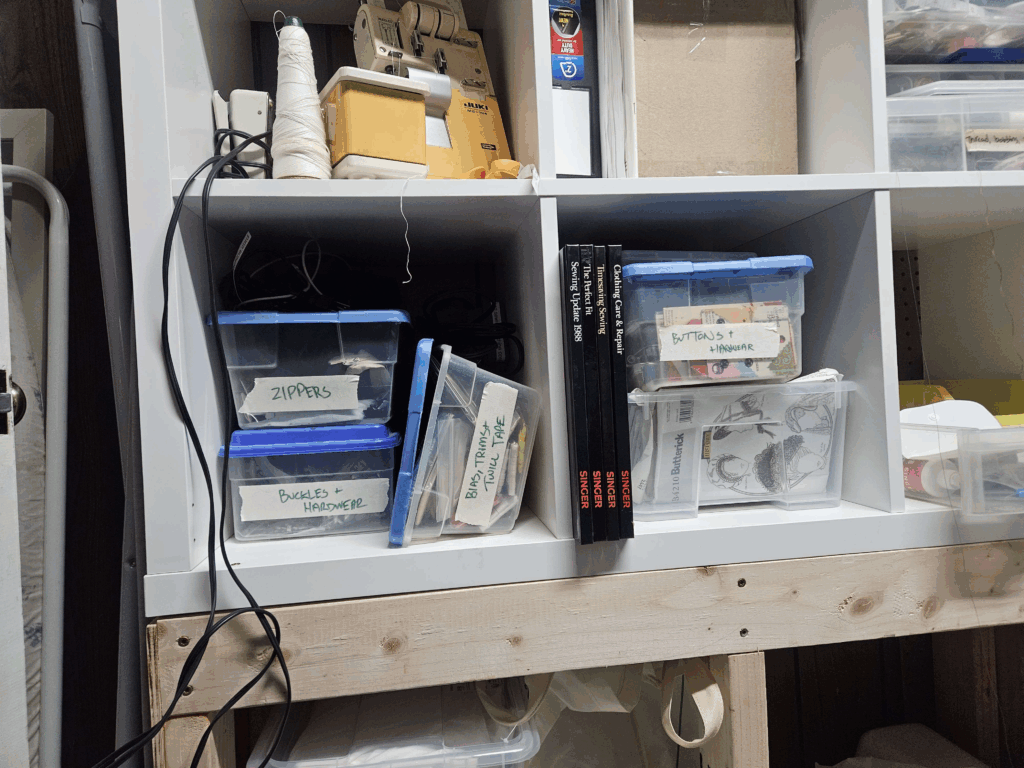
Sewing Supplies
- Fabric
- Zippers/Buckles/Hardware
- Trims
- Bias tape
- Buttons
- Thread
- & More
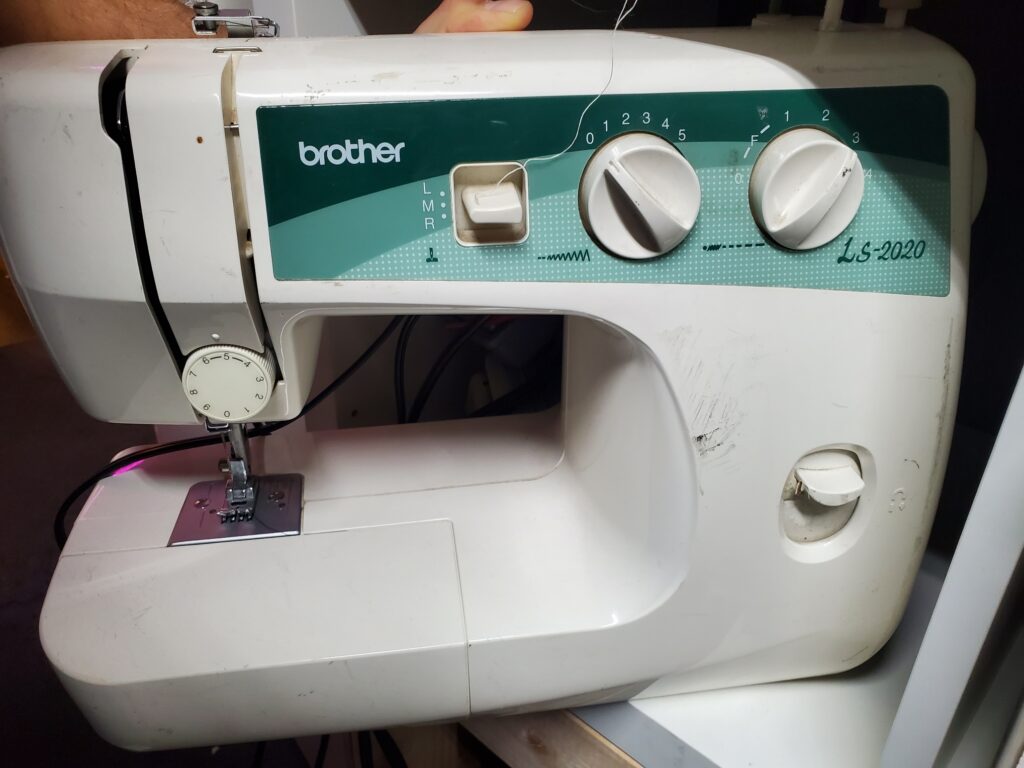
Shop 1 – Electronics + Laser Cutter
Picture (click to expand)
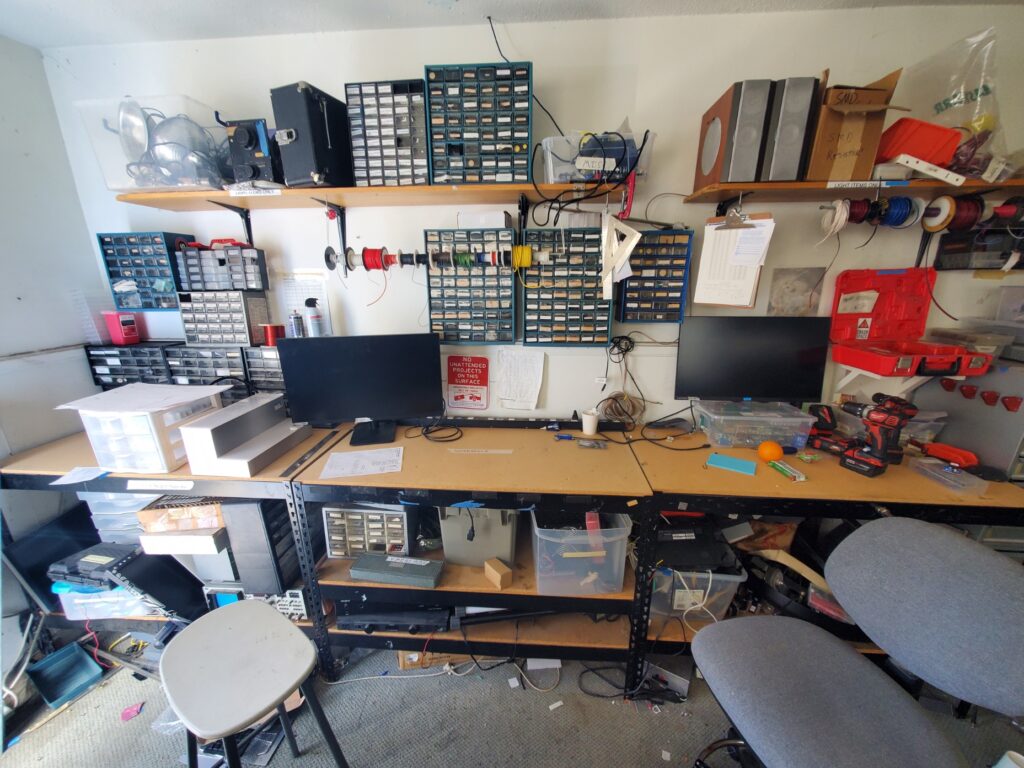
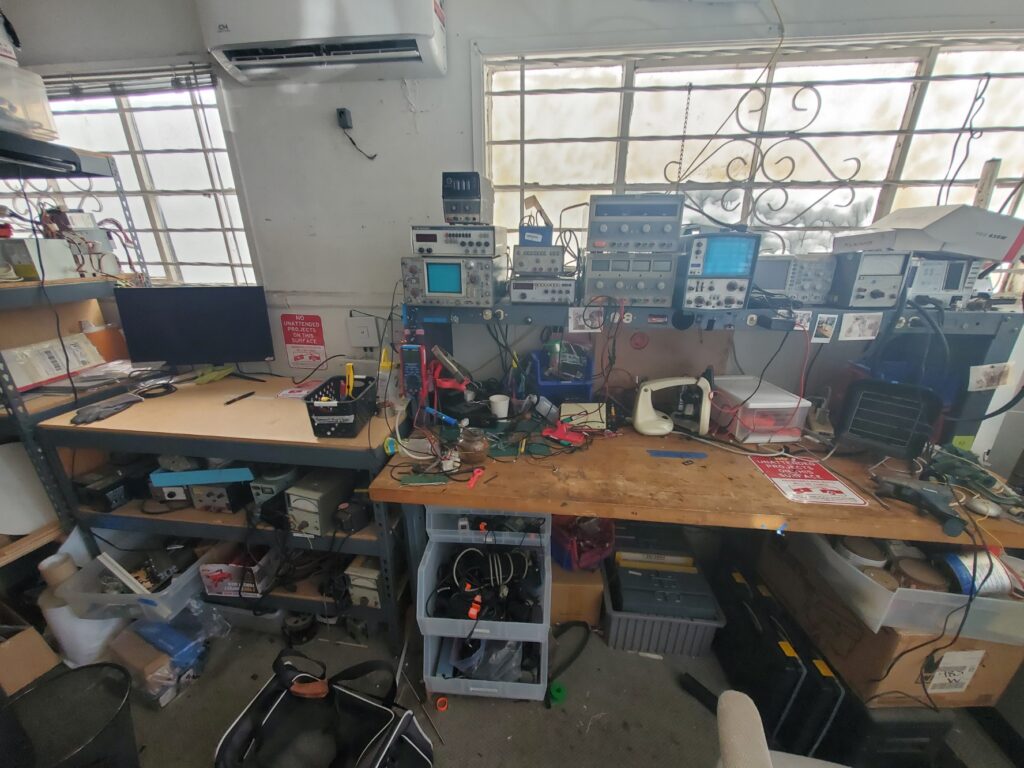
What it is used for: Back left room where the small laser cutter, scrap supplies, electronics equipment, and misc electronic parts are stored. Also the location of 3 project workbenches for use while in the space. 72 hour storage is provided on the table near the light blue outside exit door for projects being actively worked on, to keep the surfaces clear. For more longer term storage, see the section on “Parking Permits” in the Storage section above.
Laser Engraver
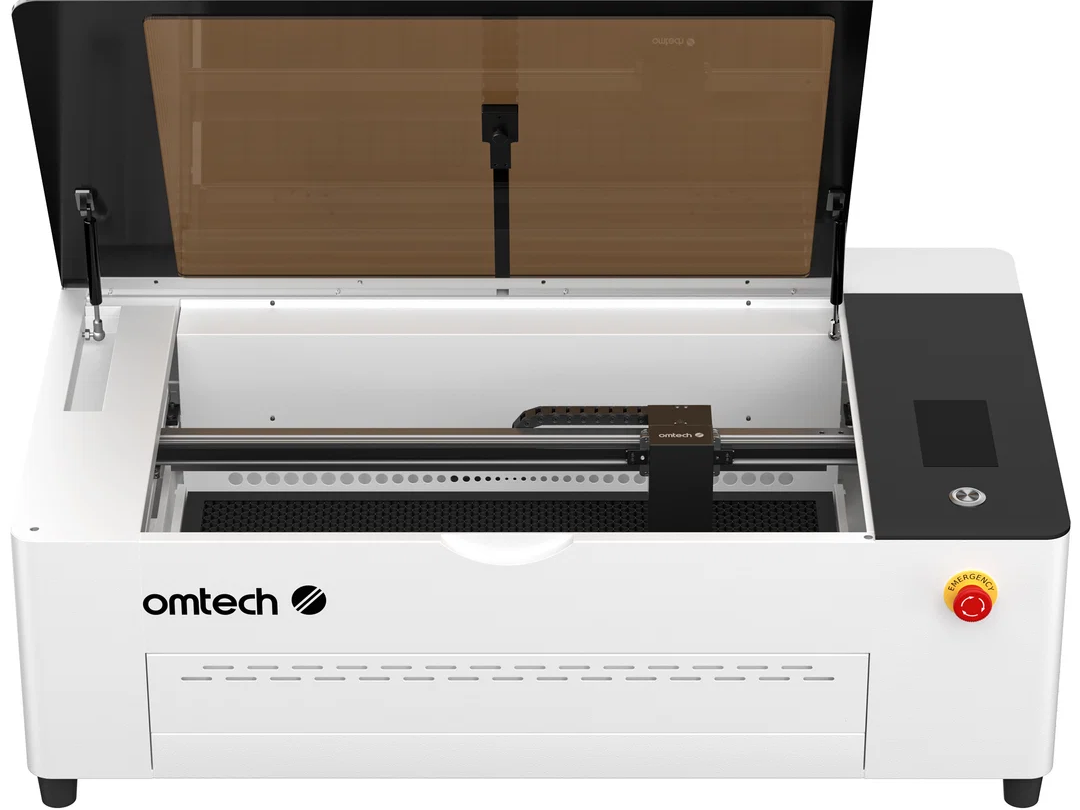
- Specific Model: OMTech Polar 2 50 Watt RF Tube
- Fun Name: Klondike (TEMP)
- What it does: Uses a 50 watt RF laser to cut wood, acrylic, and other thin materials
- Software:
- Vector Editor: Inkscape, Adobe Illustrator, etc.
- Output Software: Lightburn (30 day free trial, but paid software)
- Max object size: ~711 x ~356 mm (28 x 14 inches)
- Notes: A variety of acrylic can be found next to the laser cutter and is up for grabs.
Manual (Click To Expand)
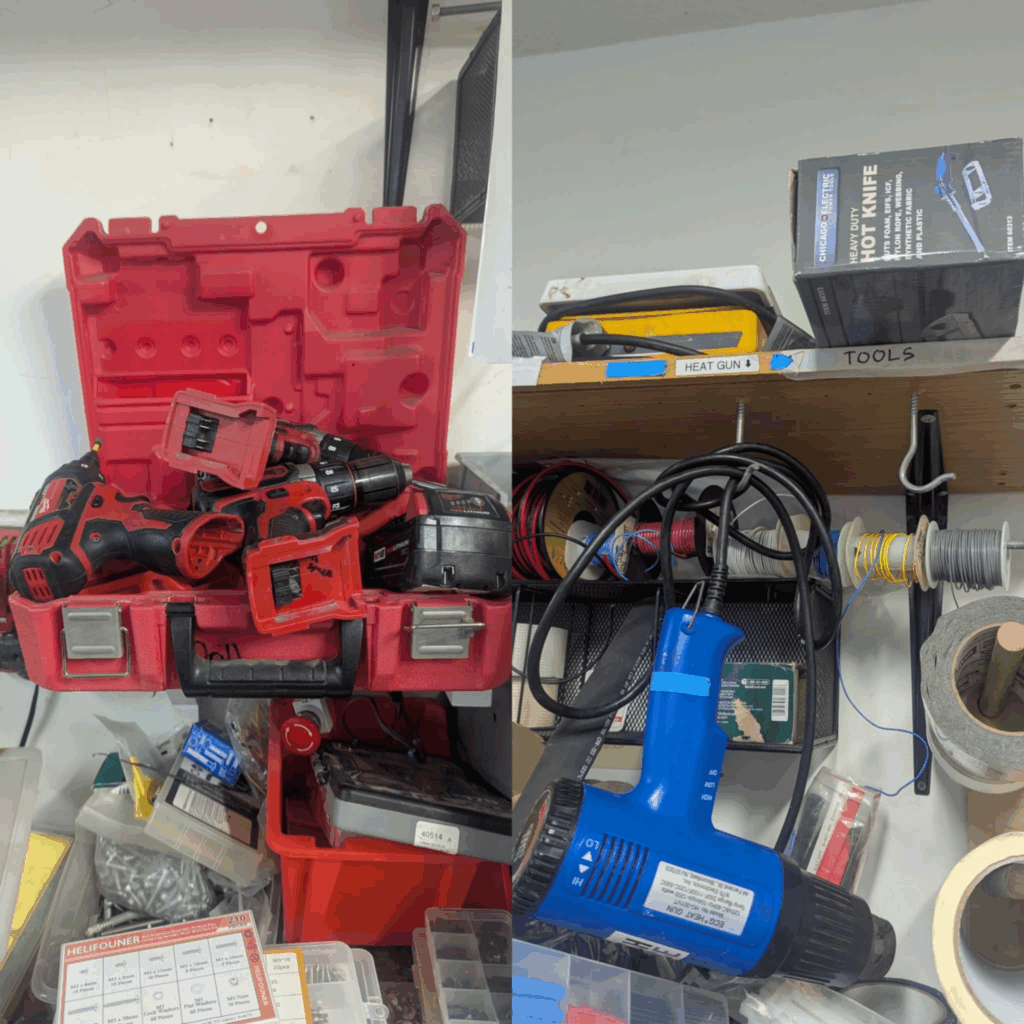
Misc Tools
- Drills
- Heat Gun
- Hot Plate
- Hot Knife
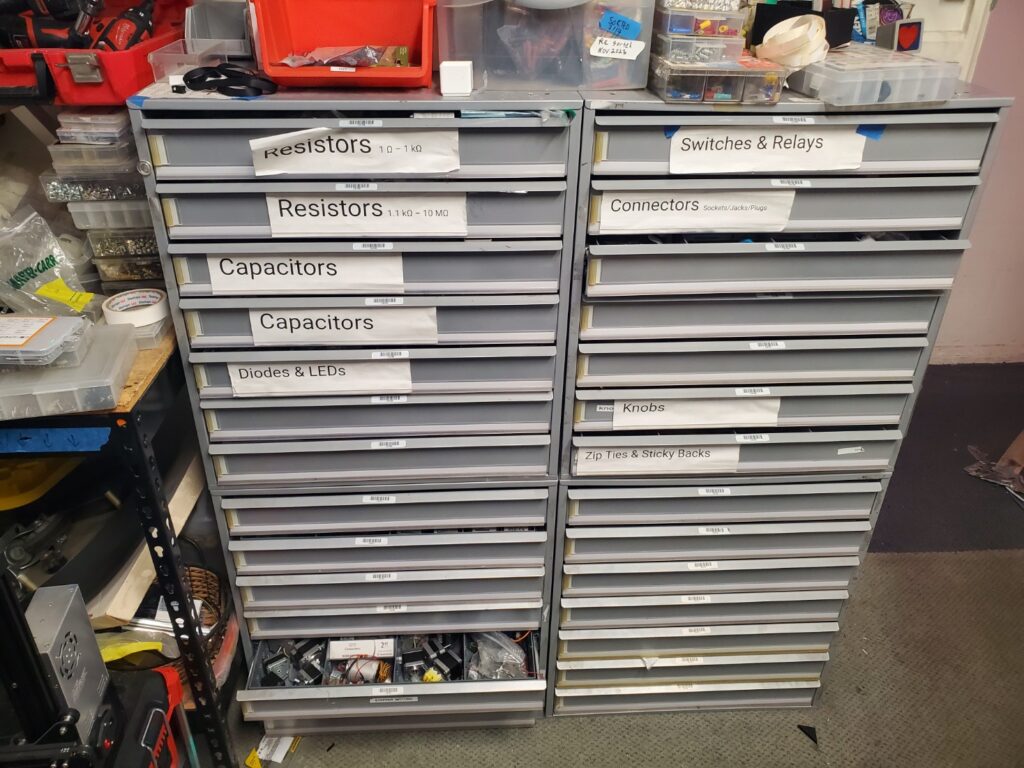
Electronics Cabinet
- Fun Name: Department of Digital Accoutrements (AKA the Breadboard Bureau)
- What it does: Stores Misc. electronics components such as capacitors, switches, resistors etc.
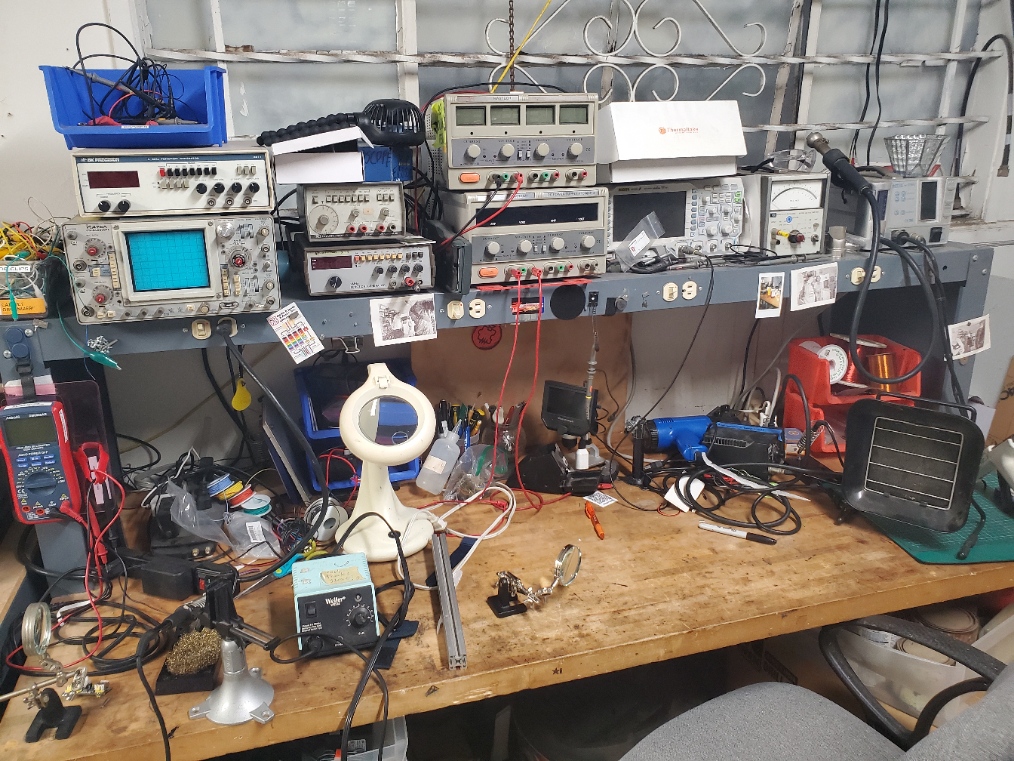
Electronics Testing Equipment
- What it does: Stores soldering irons, oscilloscopes, fume extractors etc.
Retired/Former Tools
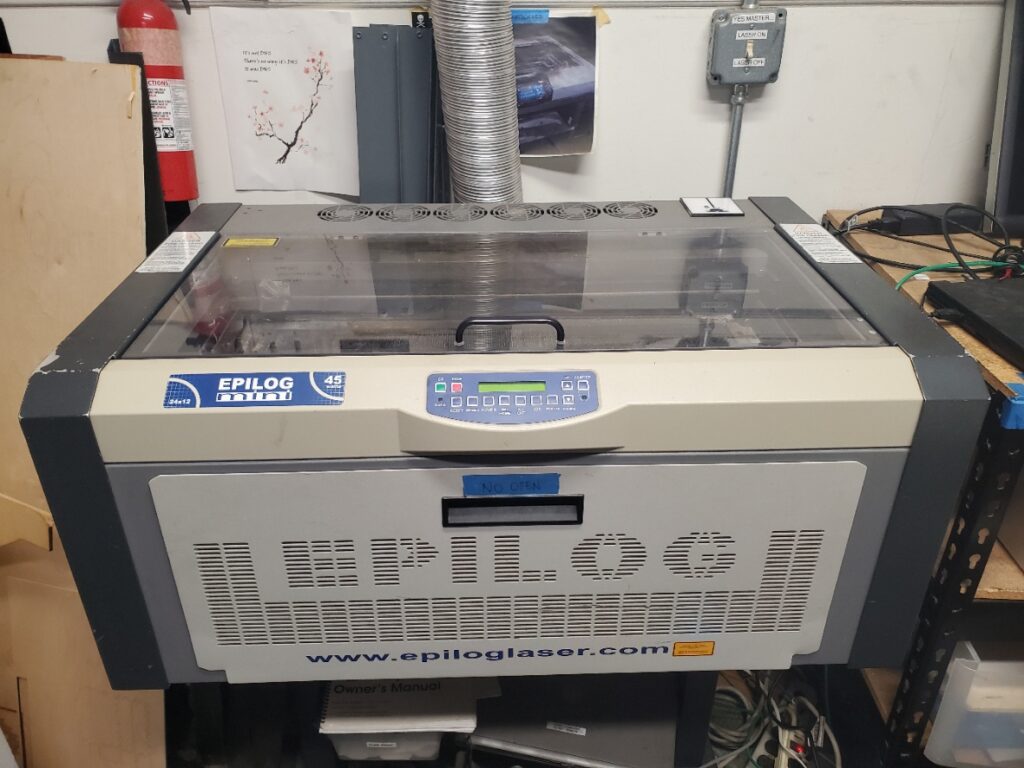
Epilog Mini Laser Engraver
- Specific Model: Epilog Mini 45 Watt CO2 Laser
- Fun Name: Finality (AKA Finn)
- What it does: Uses a 45 watt co2 laser to cut wood, acrylic, and other thin materials
- Software:
- Vector Editor: Inkscape, Adobe Illustrator, etc.
- Output Software: Corel Draw 2014 on computer next to it
- Max object size: ~609 x ~304 mm (24 x 12 inches)
- Notes: A variety of acrylic can be found next to the laser cutter and is up for grabs
Shop 2 – CNC & Machine Tools
Picture (click to expand)
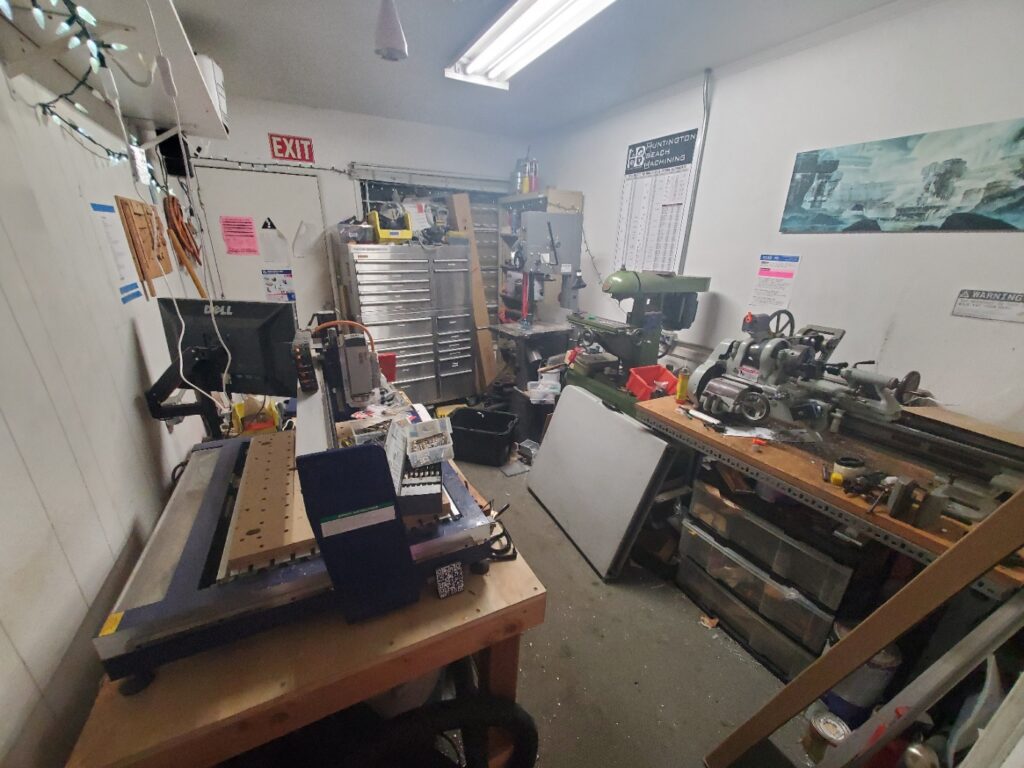
What it is used for: Machine shop room where metal machining and sawing is done. If the door is closed, machines are heard, or the light on the door is on, then safety glasses must be worn before entering. These may be found at the back of shop 2 or hanging on the wires near the inside entrance. Exercise caution on entering if machines are active!
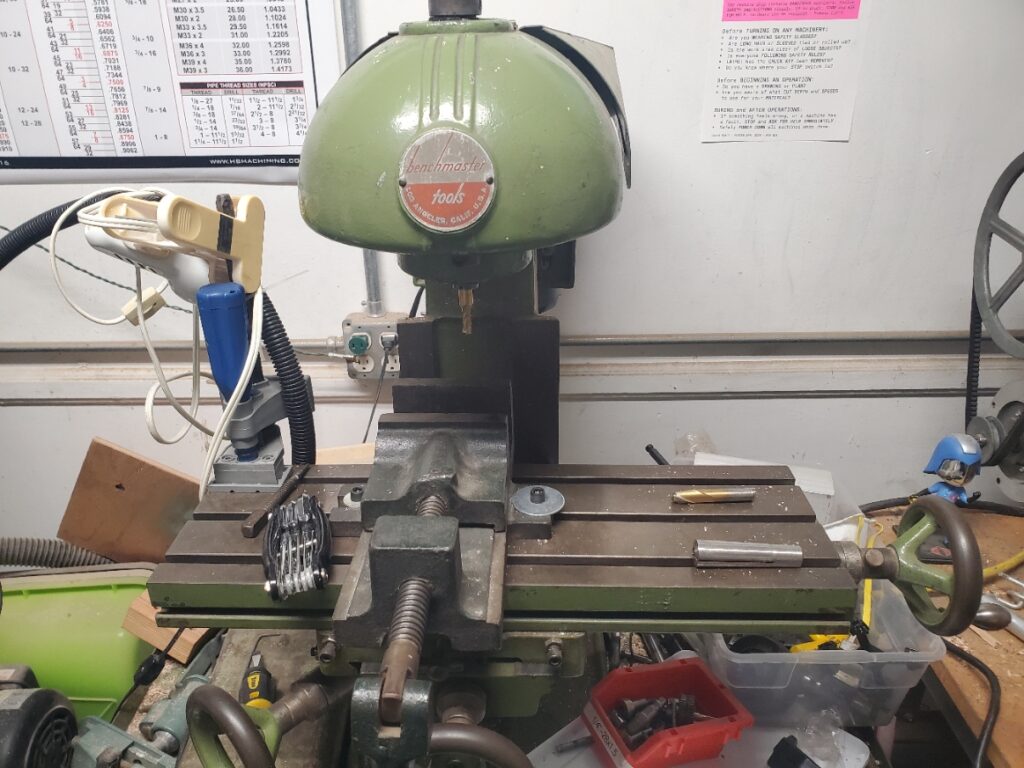
Manual Mill
- Specific Model: Benchmaster M 11 Manual Mill 36376
- Fun name: Millicent The Million Year old Mill (or Millie for short)
- What it does: Moves the workpiece against a stationary, rotating cutting tool to precisely remove material
Manual (click to expand)
1950’s Ad (click to expand)
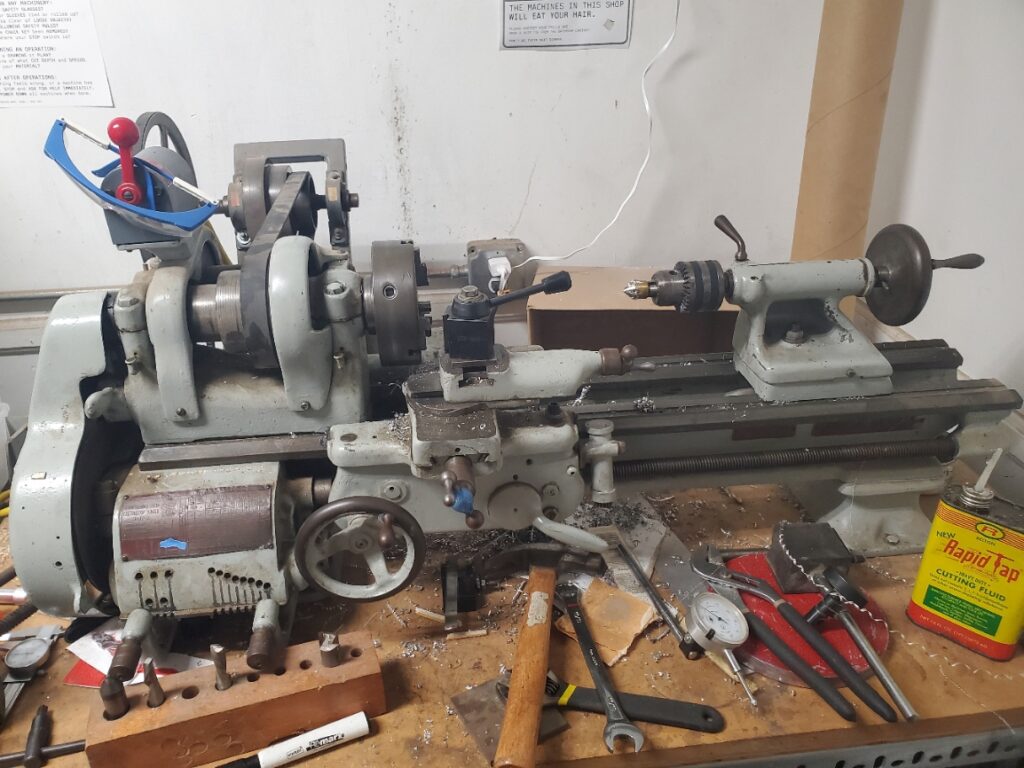
Lathe
- Specific Model: South Bend Workshop Lathe Model A
- Fun name: Lathie O’Spinna
- What it does: Sends chucks into nearby surfaces, eats hair, grinds down material by spinning it horizontally, in order of importance
- Hardware:
- Slicer: Prusa Slicer, Orca Slicer
- 3D Model Software: Any (Ex: Blender, Fusion 3D, Tinker CAD, SketchUp)
- Max object size: 250 x 210 x 220 mm (9.84 x 8.3 x 8.6 inches)
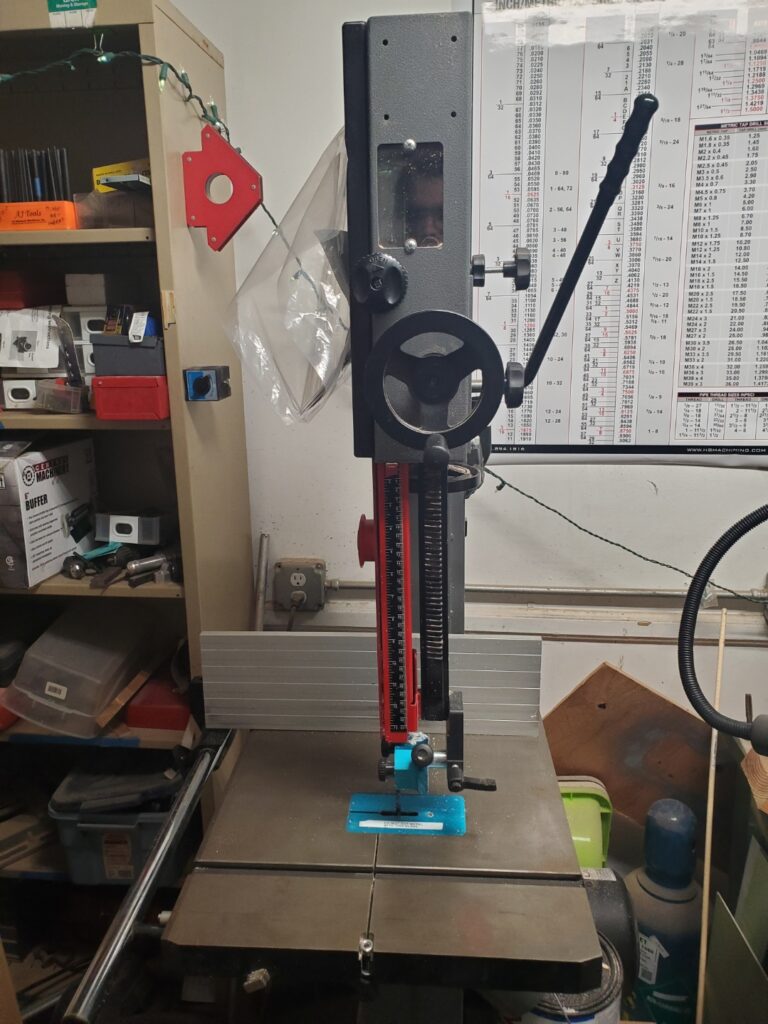
Bandsaw
- Specific Model: Laguna 14-Twelve Bandsaw
- Fun name: Crash Bandsawicoot
- What it does: Uses a band-like metal saw spinning up in a loop to cut through material
- Hardware:
- Model: mband1412-175
- Motor: 1-3/4 Hp, 115/230 V
- Blade : 114 – 3/4″
- Max object size: 250 x 210 x 220 mm (9.84 x 8.3 x 8.6 inches)
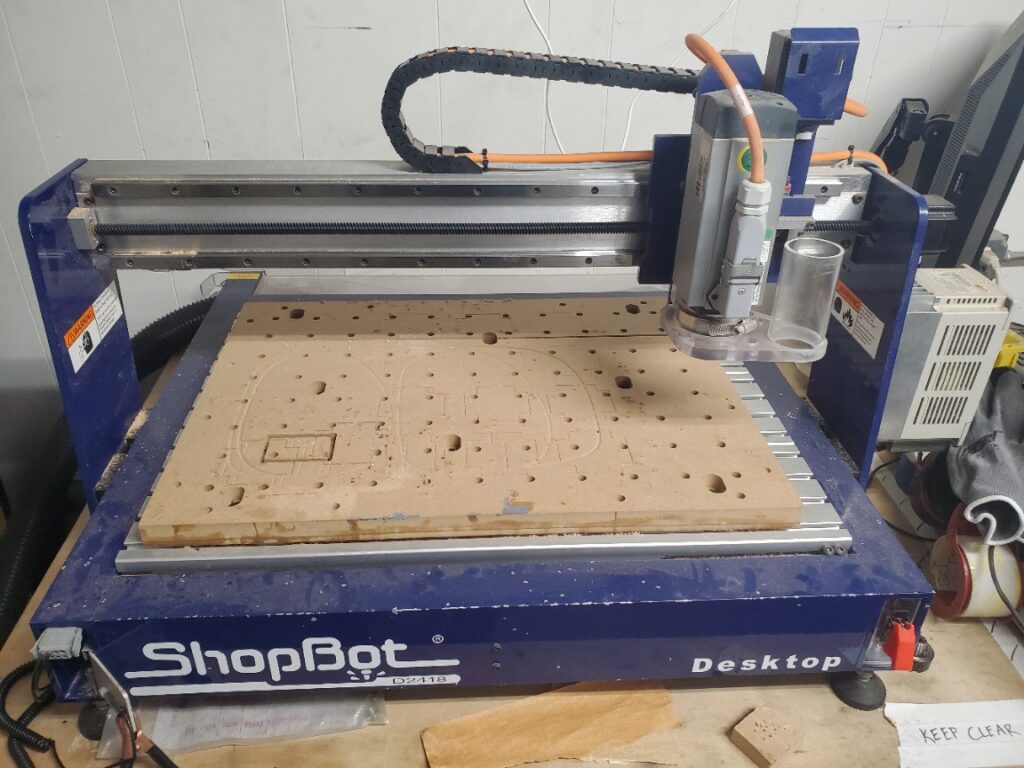
CNC Mill
- Specific Model: ShopBot D2418
- Fun name: Shoptimus Prime
- What it does: Catches dust, cuts out wood and acrylic using automated machine instructions and a special made horizontal drill bit.
- Note: You CANNOT use regular drill bits on the mill, they will break!
- Software:
- 3D Model Software: Any (Ex: Blender, Fusion 3D, Tinker CAD, SketchUp)
- Max object size: 24 x 18 x 4 inches
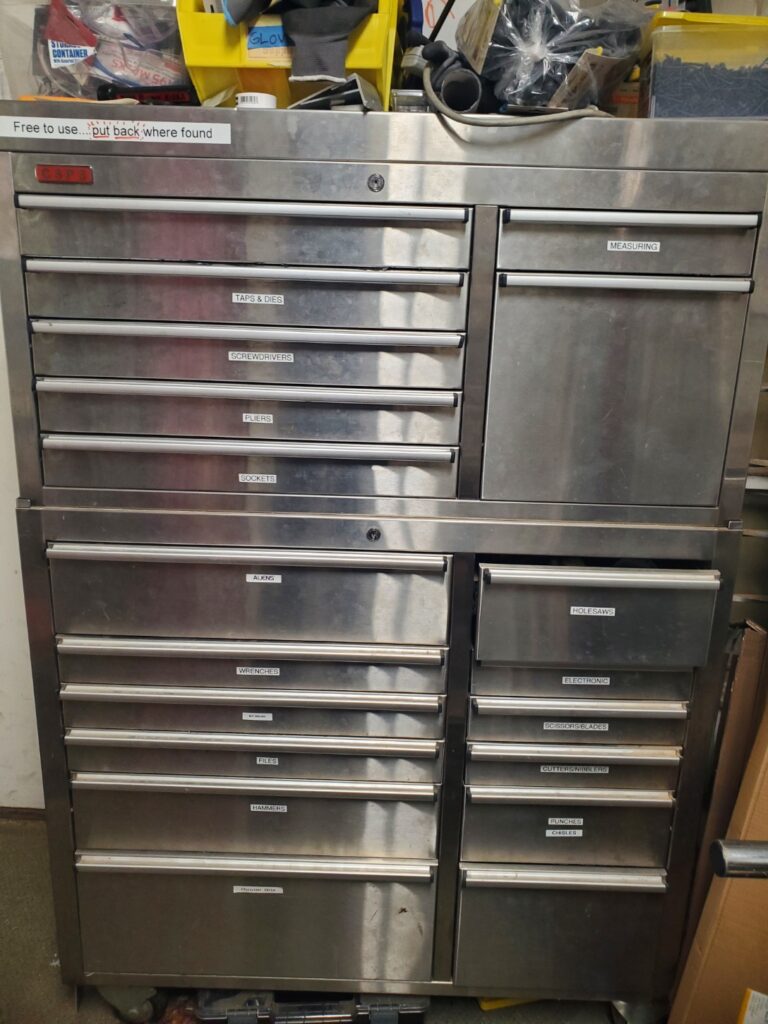
Large Tool Chest
- Fun name: Iron Man
- What it does: This is where you can find most of our tools such as the screwdrivers, aliens (allen wrenches), measurement tools, most hand tools wrenches sockets taps dies. The portable drills are located next to the small drill press in shop 1
- Notes: Located along the back wall of the shop 2
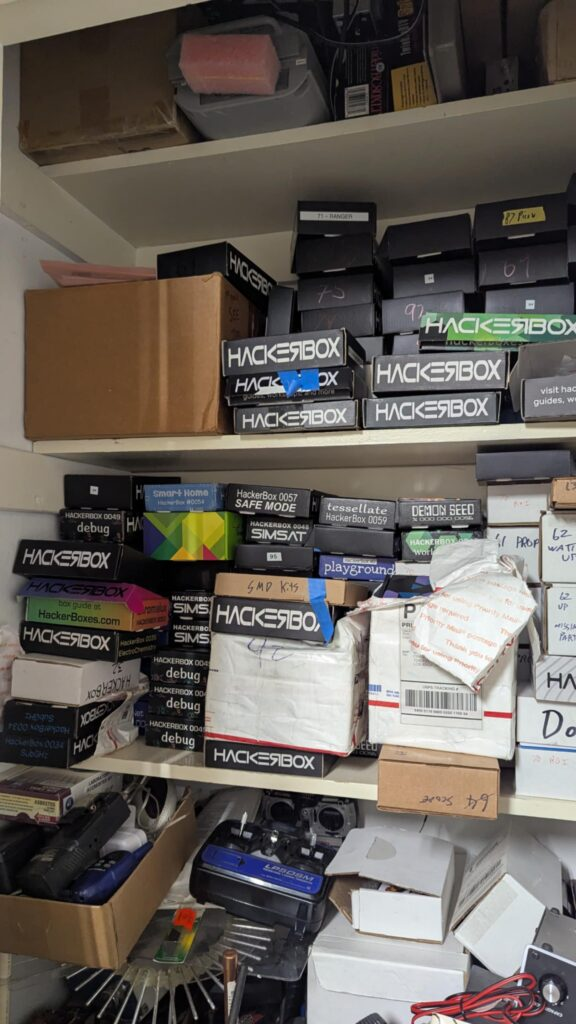
HackerBoxes
- A variety of HackerBoxes for member use. If you take something out of the box, please leave a post-it in the box noting it is no longer in the box.
Woodshed
Picture (click to expand)
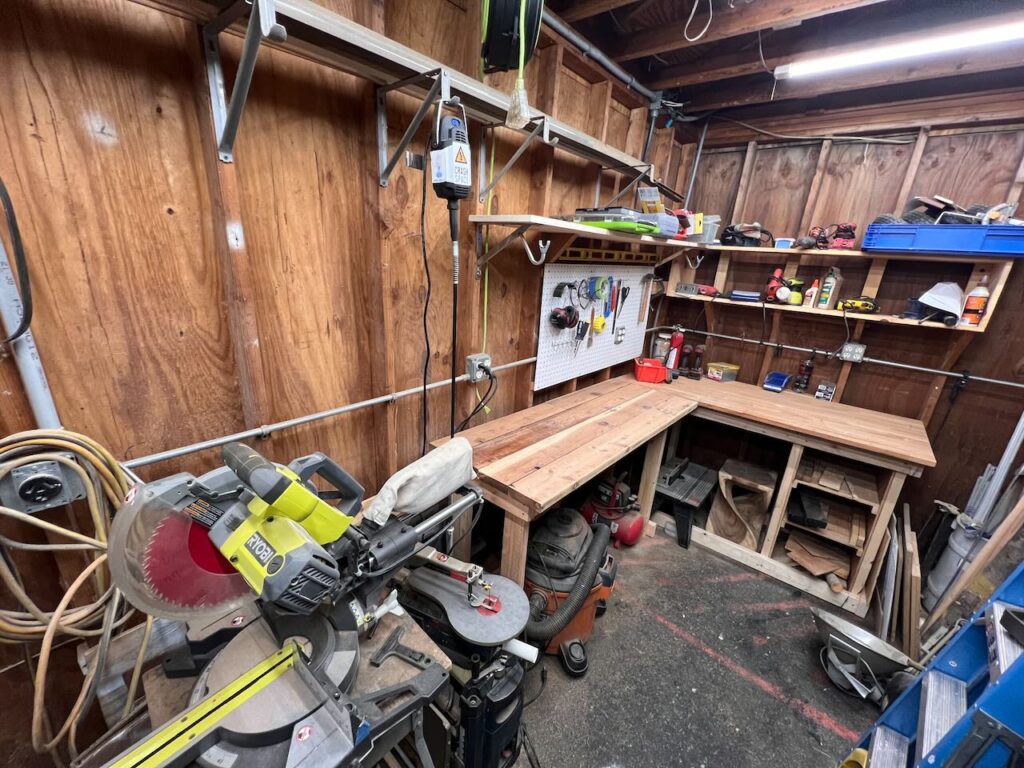
What it is used for: Storing the woodworking tools, vacuum sealer, and clamps. Note: The keys to enter the shed are located behind the large tool chest in shop 2
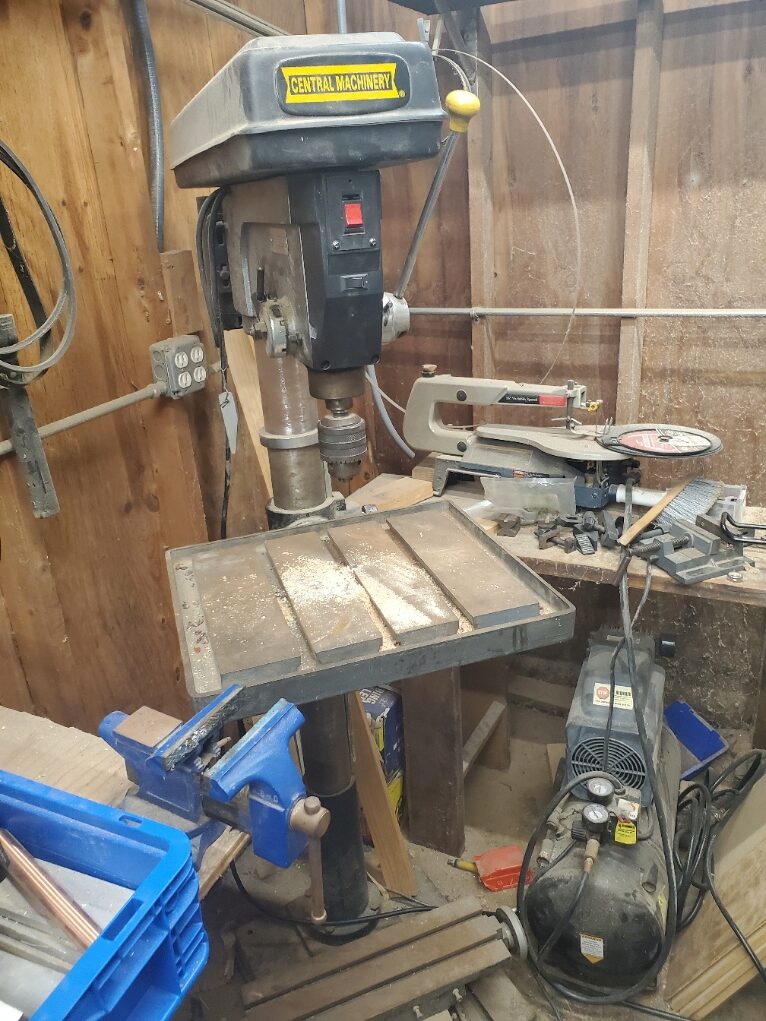
Big Drill Press
- Specific Model: Central Machinery 20″ Production Drill Press (#39955)
- Fun name: Drilliam Pressington (esq.)
- Hardware:
- Power: 120V, 60Hz, 1-1/2 Hp, 12 speed
- Drill Bit: 4″ Spindle Stroke, 3/4″ Chuck Capacity, JT3 Spindle Taper
- What it does: Drills deeply
- Notes: Thinks it is better than you. Probably older than you are, and likely right about it’s first assumption. Clamps are located on the left wall
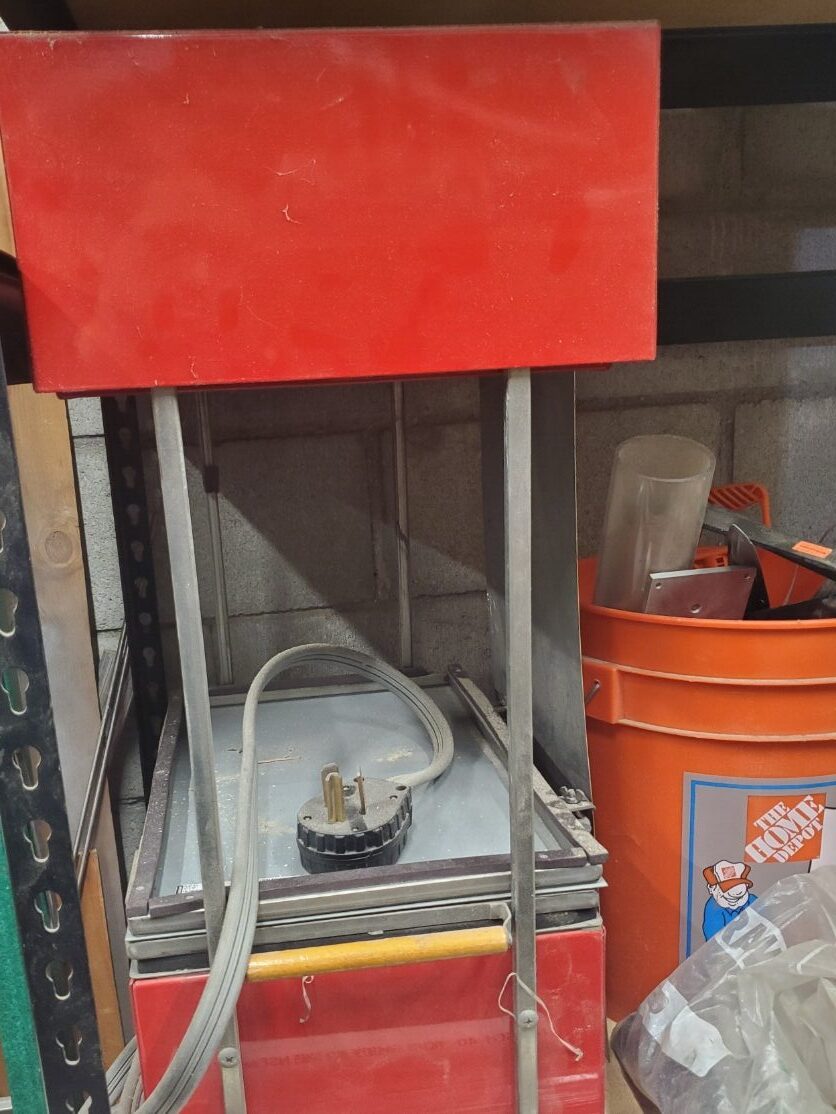
Vacuum Former
- Specific Model: RC Vacuform
- Fun name: Leechy
- What it does: Removes air and vaccuum forms products.
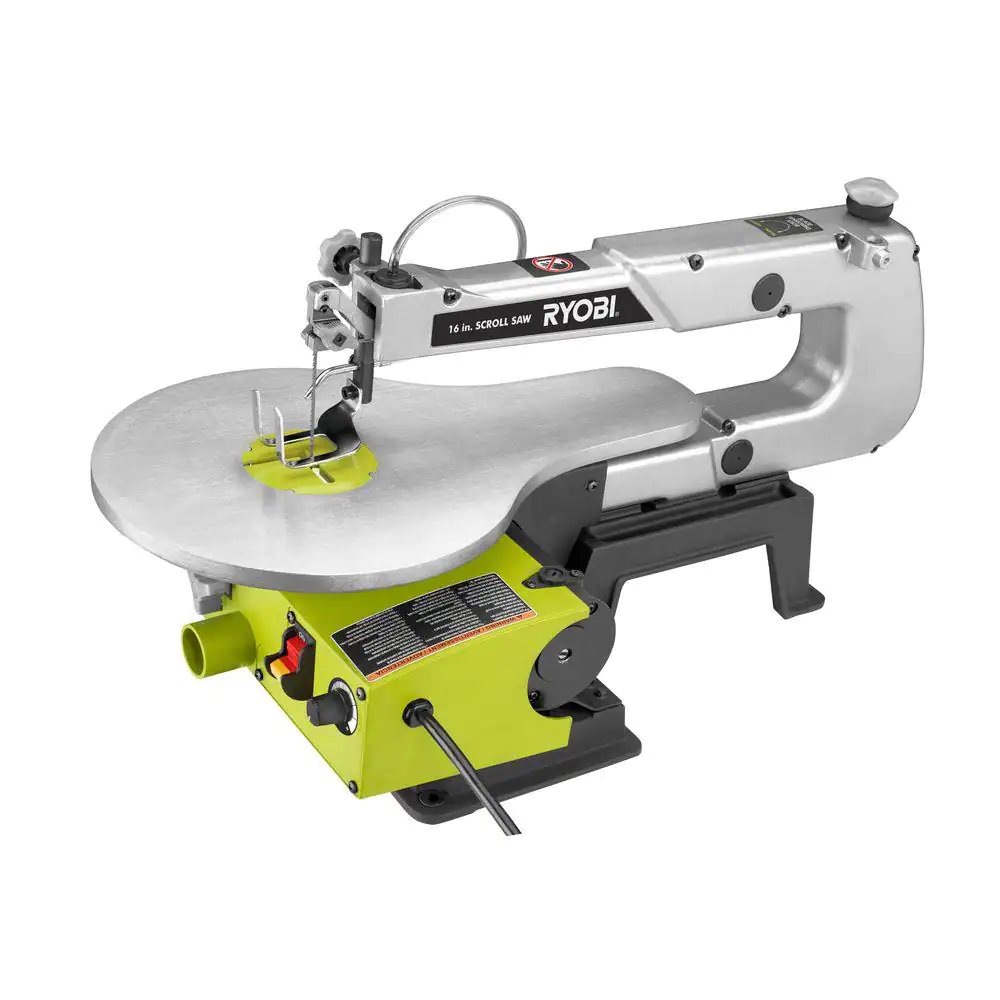
Scroll Saw
- Specific Model: Ryobi 16″ Corded Scroll Saw
- Fun name: Papyrus
- What it does: Allows more precise cutting of materials through ability to thread saw into holes on the interior of the material
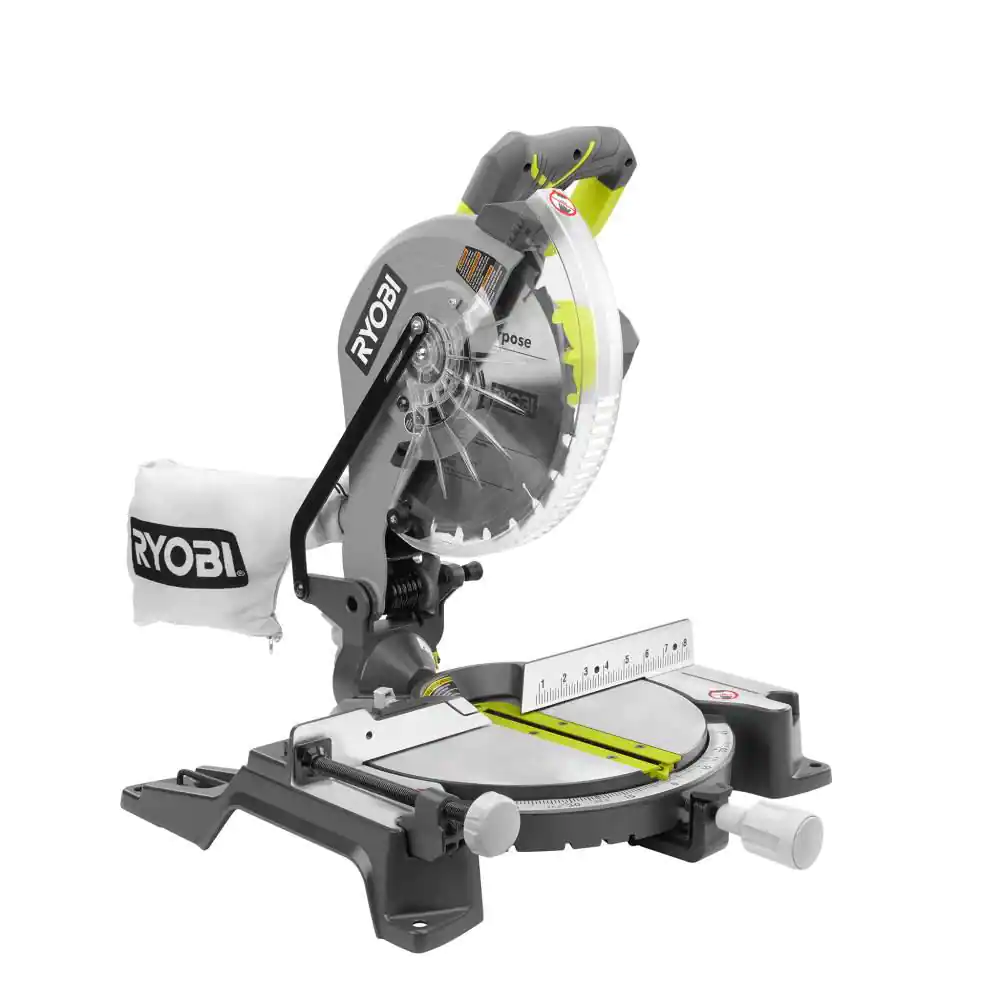
Chop Saw
- Specific Model: Ryobi 10″ Compound Miter Saw
- Fun name: Chopin
- What it does: Circular saw that cuts through material below it
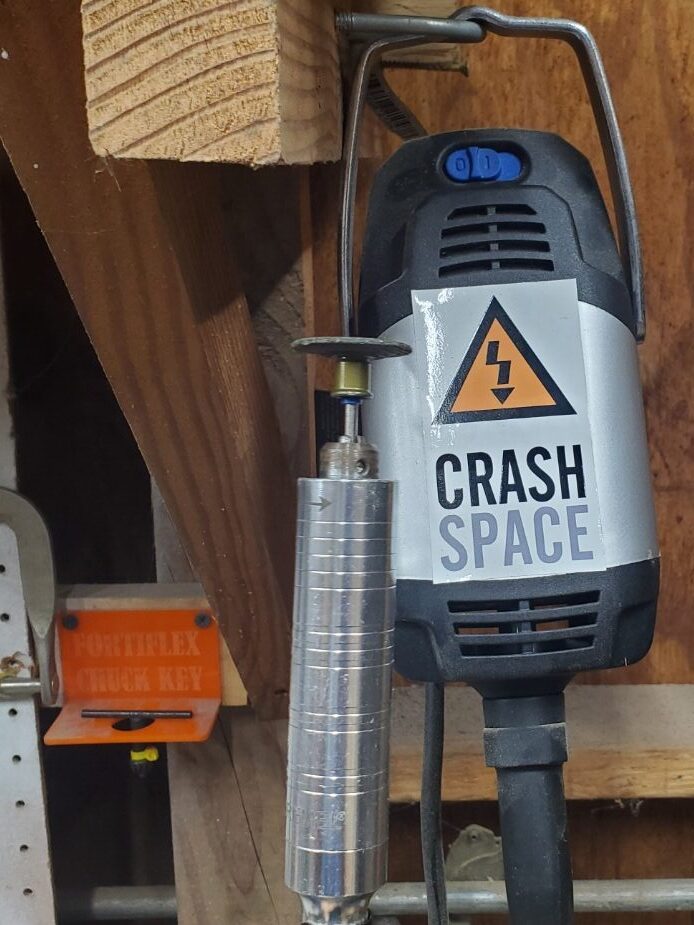
Dremel Fortiflex
- Specific Model: Dremel 9100 Fortiflex
- Fun name: Spindarella
- What it does: High Powered Stationary Dremel with adjustable speed foot pedal.
- Notes: This is located to the left of the drill press and is attached to the wall via U bolts. Use the switch on the main body to turn it on, and the provide pressure to the foot pedal below to activate/adjust speed
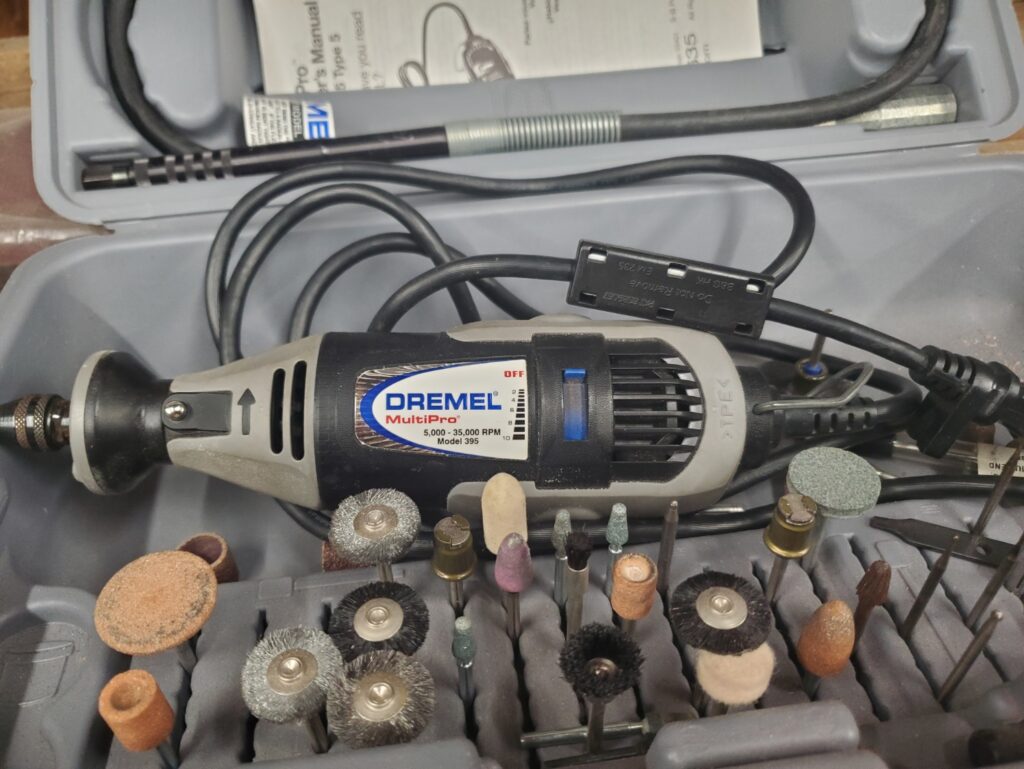
Portable Dremel
- Specific Model: Dremel MultiPro
- Fun name: Spinnochio
- What it does: Rapidly rotates end circularly, used to cut or polish materials. Can be taken and plugged in to an outlet anywhere.
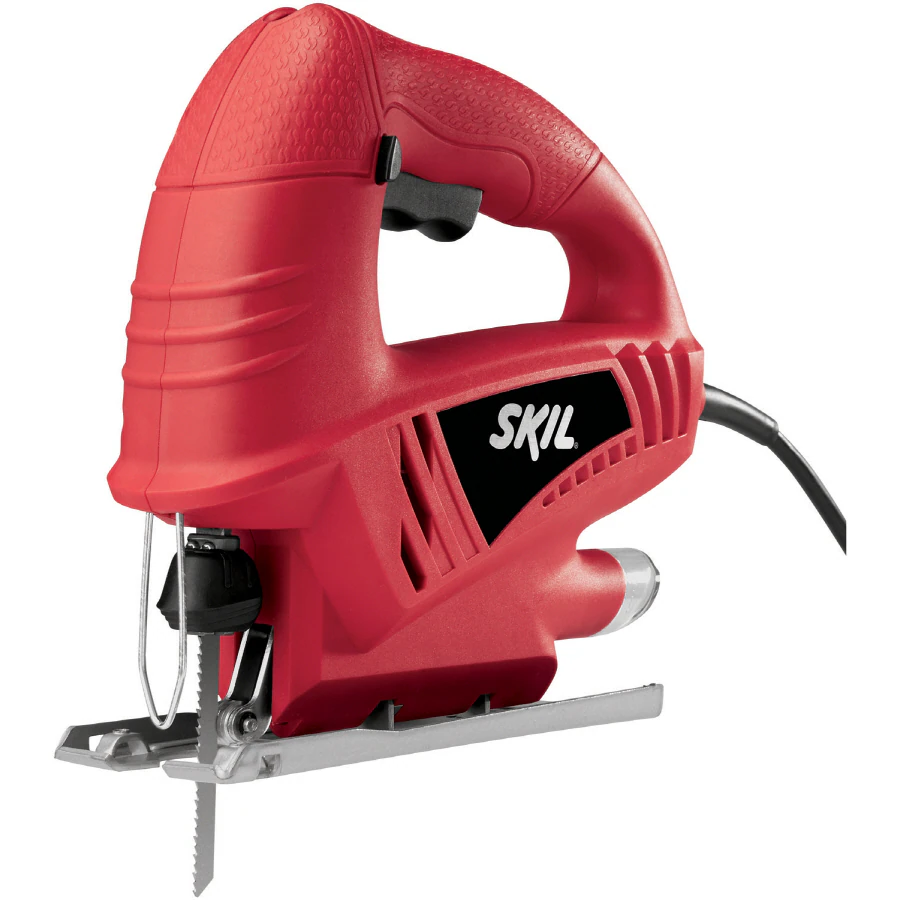
Jigsaw
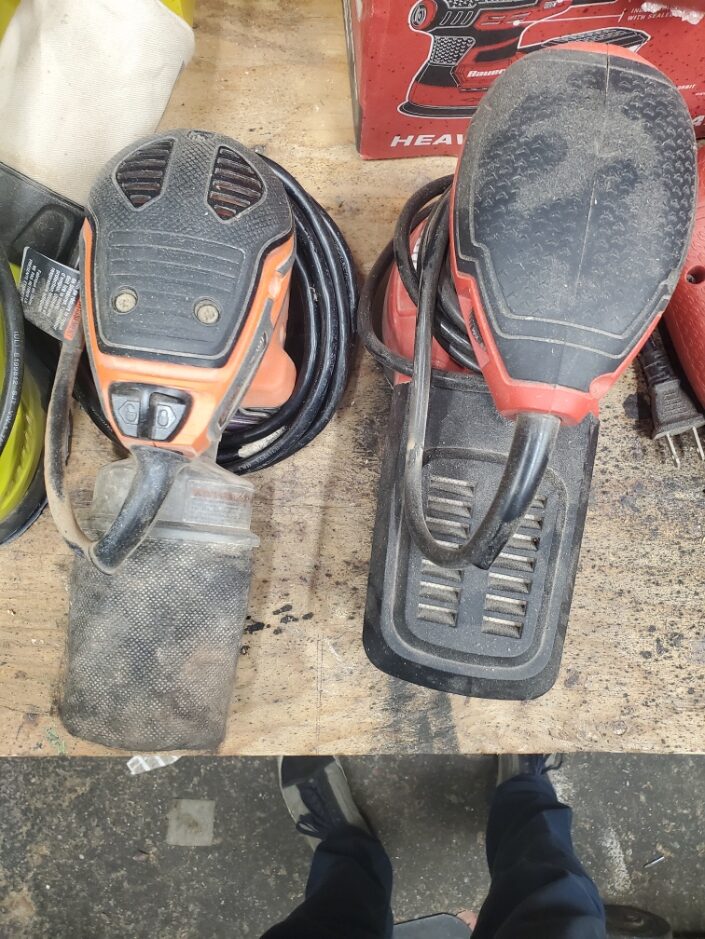
3x Circle Sanders
- Specific Model:
- Fun name: Bauer Bernie, Ryobi Bernie, Black and Decker Bernie
- What it does: grinds down or polishes materials
Shipping Container – Boss Laser & Misc Storage
Picture (click to expand)
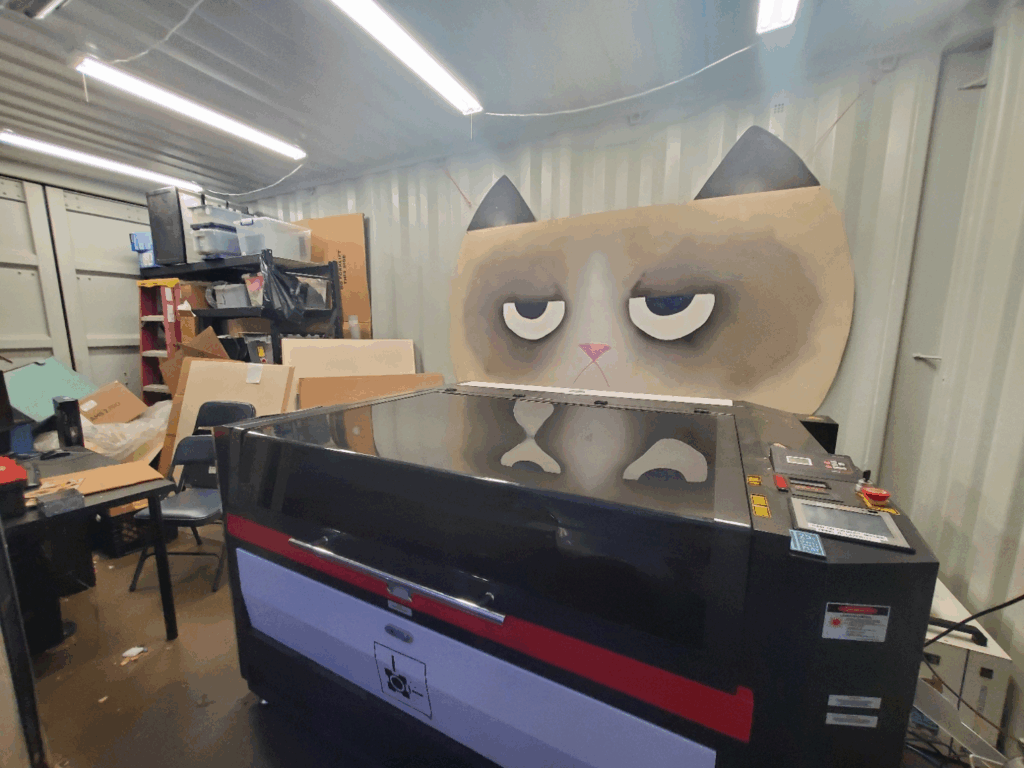
What it is used for: Storing the (Big) Boss laser and stores misc materials
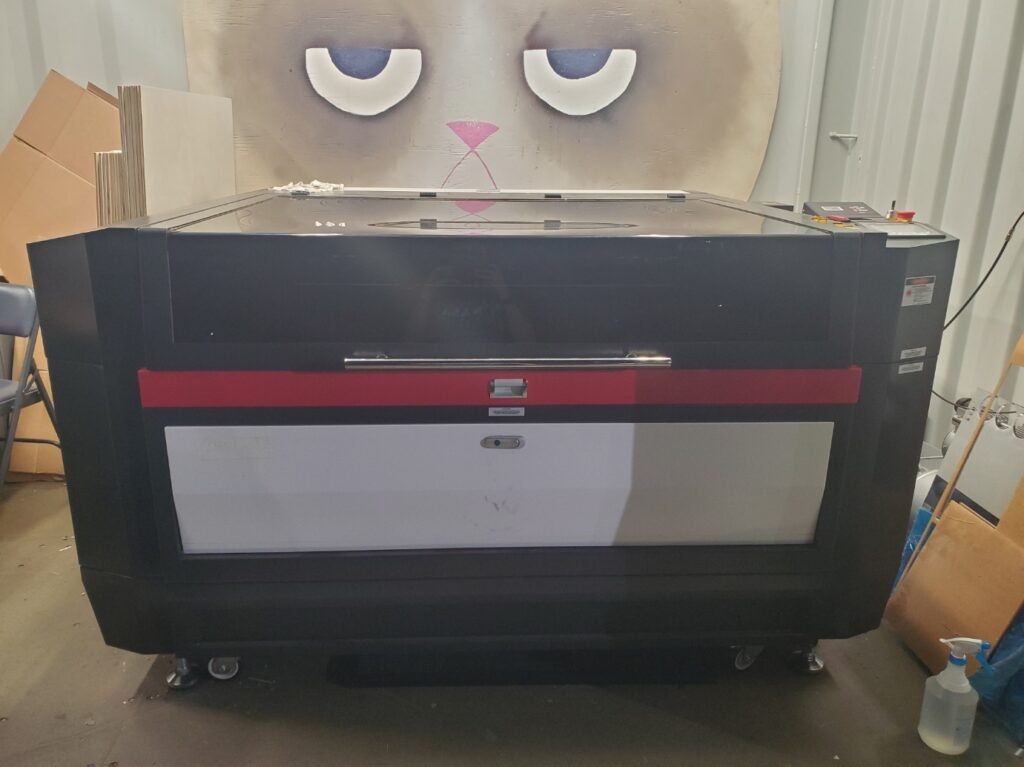
High Power CO2 Laser Cutter/Engraver
- Specific Model: Boss P3655 155 Watt CO2 Laser
- Fun Name: Big Boss
- What it does: Cuts and engraves thicker materials than the Epilog and can be outfitted to cut through certain metals
- Notes: Has passthroughs on the front and sides to allow bigger materials in a single dimension to be fed in.
- Software:
- Vector Editor: Inkscape, Adobe Illustrator, etc.
- Output Software: Inkscape (installed on the computer)
- Cutting Area: 850mm x 1380mm (33in x 54in)
- Work Area: 1016mm x 1778mm (40in x 70in) + Material Pass Throughs
- Notes: A variety of acrylic can be found in Shop 1 and is up for grabs
Allowed / Prohibited Materials & Thicknesses
❌ UNSAFE Materials
NEVER CUT
- VINYL & PVC – or any other material that contains chlorine. This will damage the laser and release toxic fumes that can cause permanent lung damage
- Faux Leather – often made from vinyl. If you want to cut faux leather, make sure you get specifically laser safe material from a known supplier.
- Polycarbonate – releases toxic fumes.
- ABS – Produces Hydrogen Cyanide and melts badly.
✅ Laser SAFE materials
Always know what type of plastic you are cutting. Some plastics release very toxic fumes that can damage the laser or your lungs. Get material from reputable suppliers
Plastics
- Arylic (PMMA) – Best plastic for laser cutting. Cuts cleanly and produces smooth edges. Also Etches nicely.
- TPU/PU(polyurethane) – Often found sold as TPU/PU fabric. It looks similar to vinyl but is laser safe to cut and engrave. It’s generally stretchier than Vinyl. Make sure you buy it from a known source because cutting vinyl is toxic and will damage the laser.
- Delrin (Acetal) – Cuts well but can melt at the edges; produces some formaldehyde fumes.
- PETG – Can be cut but prone to melting and warping; produces sticky residue. Not recommended for beginners.
- Polypropylene (PP) – Safe but not recommended. Cuts well but edges can be rough or deformed due to melting.
- HDPE (High-Density Polyethylene) – Safe but not recommended. Melts easily and produces messy cuts; not ideal for precision work.
Wood
- Plywood – cuts well up to a 1/4 inch. Not recommended over a 1/2 inch thick.
- Baltic Birch is a specific type of plywood that cuts really well on the laser. It has thick plys on the surface that makes sanding it easier. It can be sourced from Anderson Plywood and other local Lumber companies, but usually is not found at Lowes or Home Depot. 5x5ft in sheet is around $25 as of 12/2024
- Solid Wood – Can be cut in similar thickness to Plywood. Also good for etching.
- MDF – Use formaldehyde free MDF. More refined MDF will cut and engrave better.
Paper Products
- Cardboard – cuts well
- Chipboard – sort of like cardboard without the corrugations, cuts very well. Available in various thicknesses, great for templates, test cuts and prototyping.
- Paper – Use low power settings, keep an especially close eye on it as it likes to catch fire.
MISC
- Veg Tan Leather – Smells awful, like burnt hair or getting your teeth drilled. Cuts well. You might want to experiment wetting with water before cutting. (Reminder, Chrome Tan is NOT allowed)
- Rubber – Can be cut or engraved for making stamps. Silicone sheets can be useful for making gaskets.
- Glass – Can be Etched but not cut. Look up tutorials.
Plant Matter-thin material like leaves can be cut/etched. Thicker things like Pumpkins can be etched (pumpkins smell bad). You can experiment, but be careful not to catch things on fire and dont make a mess. - Plant Matter – thin material like leaves can be cut/etched. Thicker things like Pumpkins can be etched (pumpkins smell bad). You can experiment, but be careful not to catch things on fire and dont make a mess.
Metal Cutting
This laser only cuts steel. It requires Oxygen assist and a special cutting head. Metal cutting is only allowed after you have been allowed by the Facilities Chair (currently Michael I).
- Mild Steel Sheet Metal up to 20 gauge
- Stainless Steel Sheet Metal up to 18 gauge
Metal Marking
Most metals can be marked using a laser marking spray. It comes in a spray paint style can. The metal surface is covered with the marking spray then laser etched. Wherever the laser etches will be black and the rest of the spray washes off easily. READ THE SDS/MSDS sheet for the marking spray. Some can be rather toxic if improperly handled
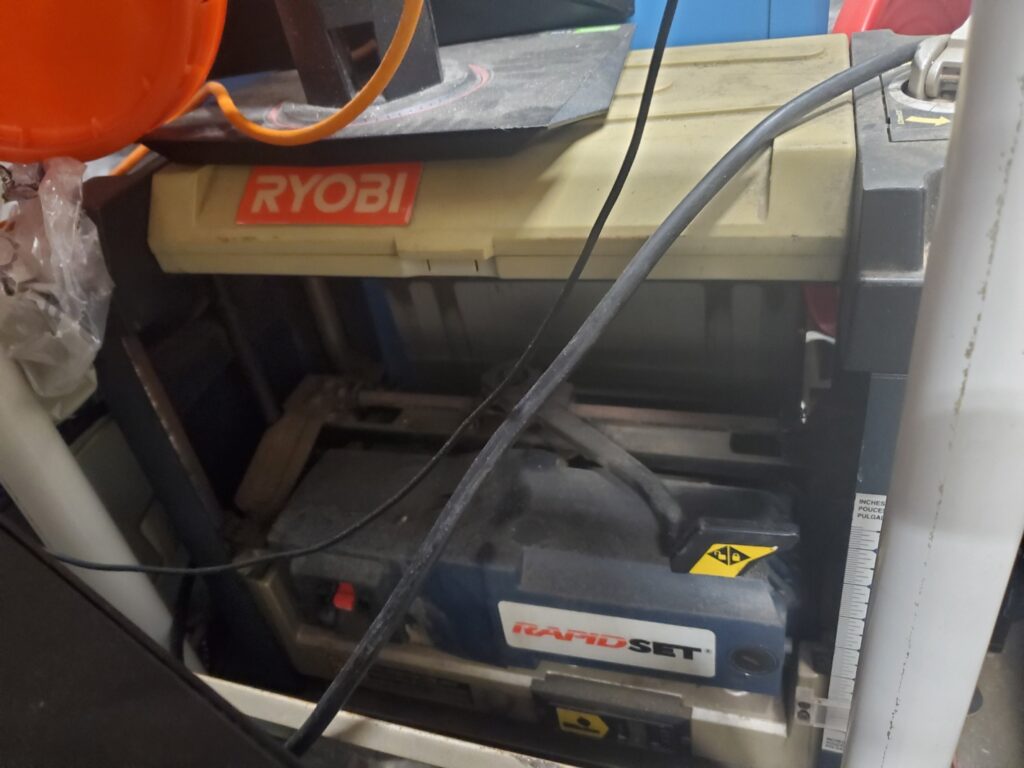
Surface Planer
- Specific Model: 13″ Surface Planer With Rapid Set Blade System
- Fun Name: The Smooth Operator
- What it does: Reduces the thickness and smoothes the surface of lumber up to 6″ thick and 13″ wide.
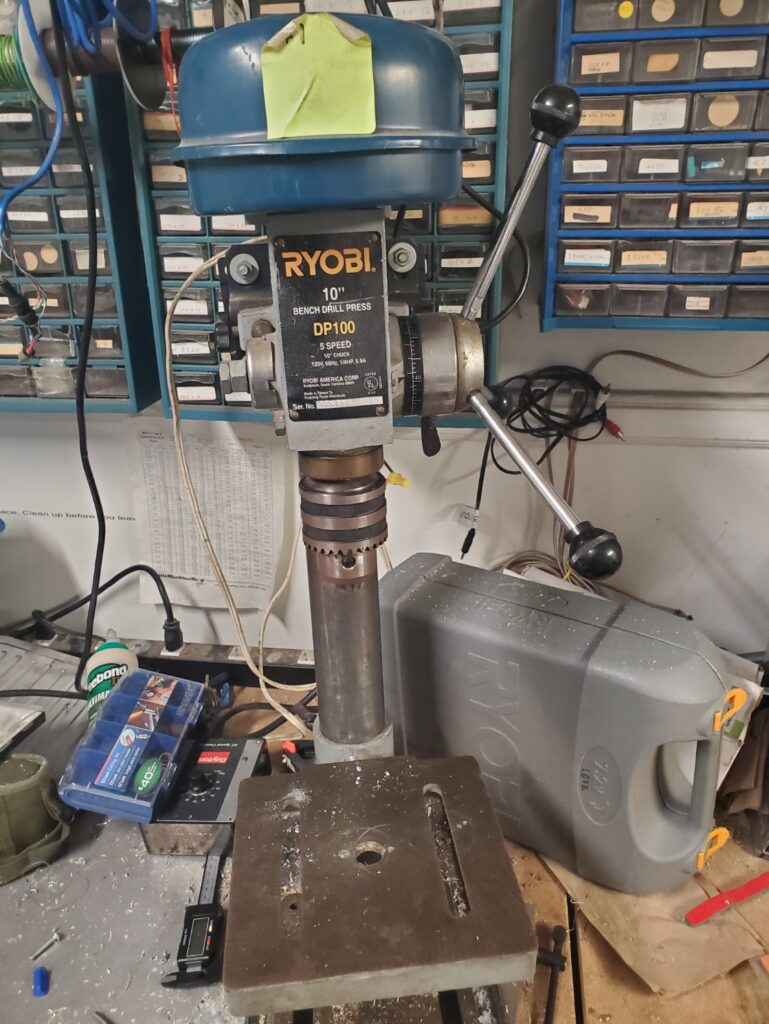
Drill Press
- Specific Model: Ryobi 10″ Bench Drill Press
- Fun name: Drillson
- What it does: Acts like a drill press with a smaller working area.
- Notes: Uses a dial to determine speed and power. Clamps can be found in the wood shed.
- Hardware:
- Power: 120V, 60Hz, 1/4Hp, 5.9A.
- Drill Bits: 1/2″ chuck, Bits are located in red box to the right of drill press, or on shelf in the back right of shop 2
- Max object size: ~250 x 250 mm (10 x 10 inches)
Outside Area
Picture (click to expand)
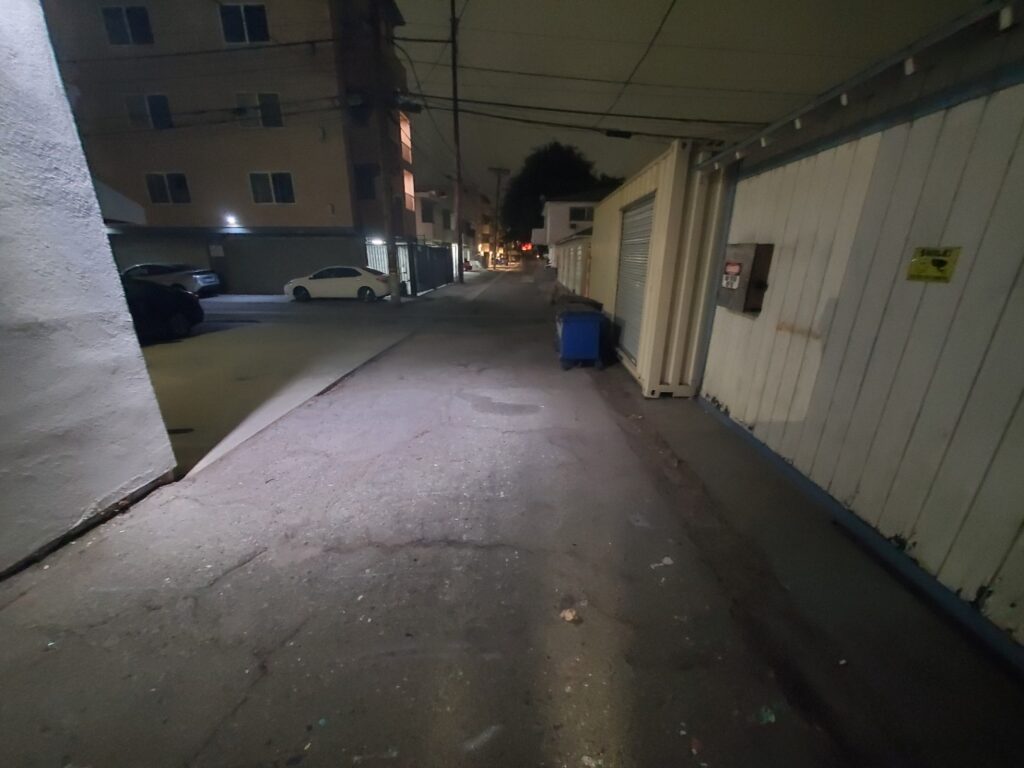
What it is used for: Getting some air, parking your car, and throwing out your failed projects trash
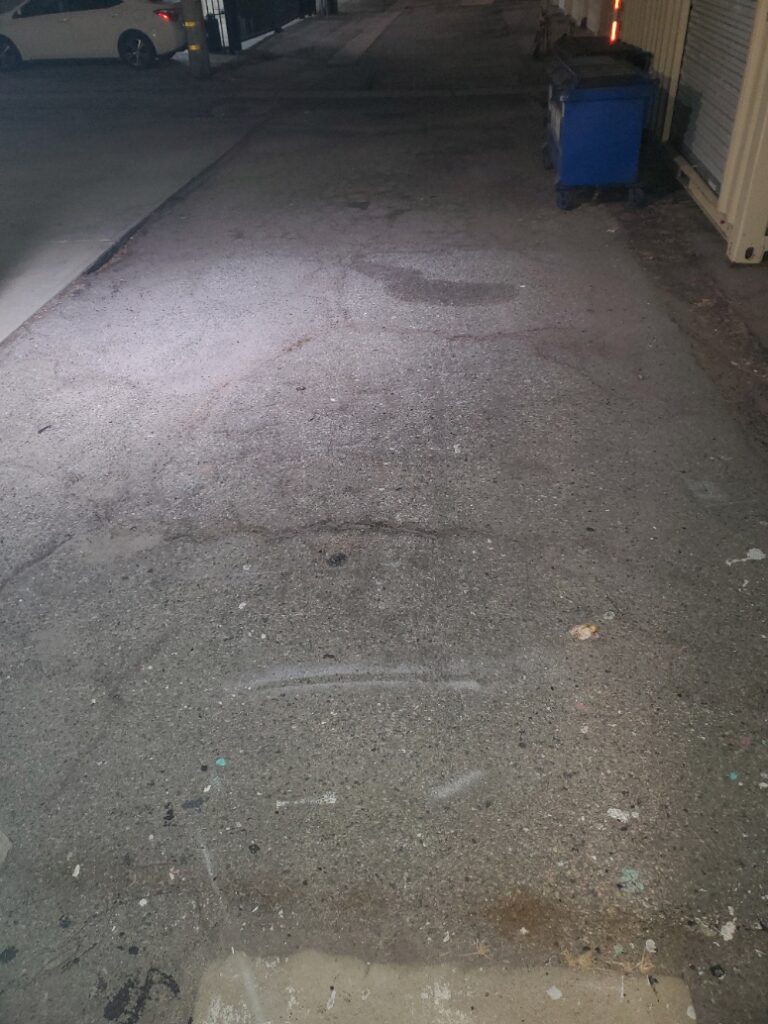
Main Parking Spots
- Fun Name: Tammy Tandem
- What it does: 2 Tandem spots that belong to our space. Commonly used by whoever is hosting, and whoever arrives after them
- Notes: 35 Watt Level 2 charger in locked panel available to members.
- Hardware: Asphalt
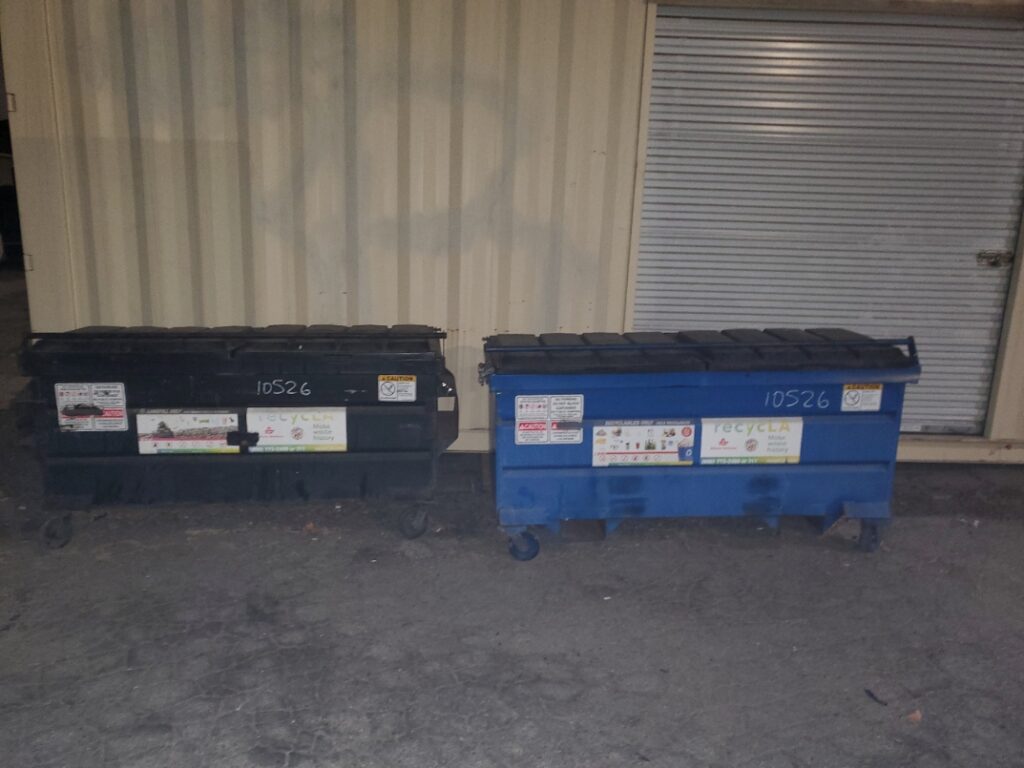
Trash and Recycling Dumpsters
- Fun Name: Jankyard
- What it does: Makes our problems, projects, and other trash, go away.
- Notes: The key to open the dumpsters is located in shop 2, behind the tools cabinet
- Hardware: Steel, Plastic, and stickers
Lavatories
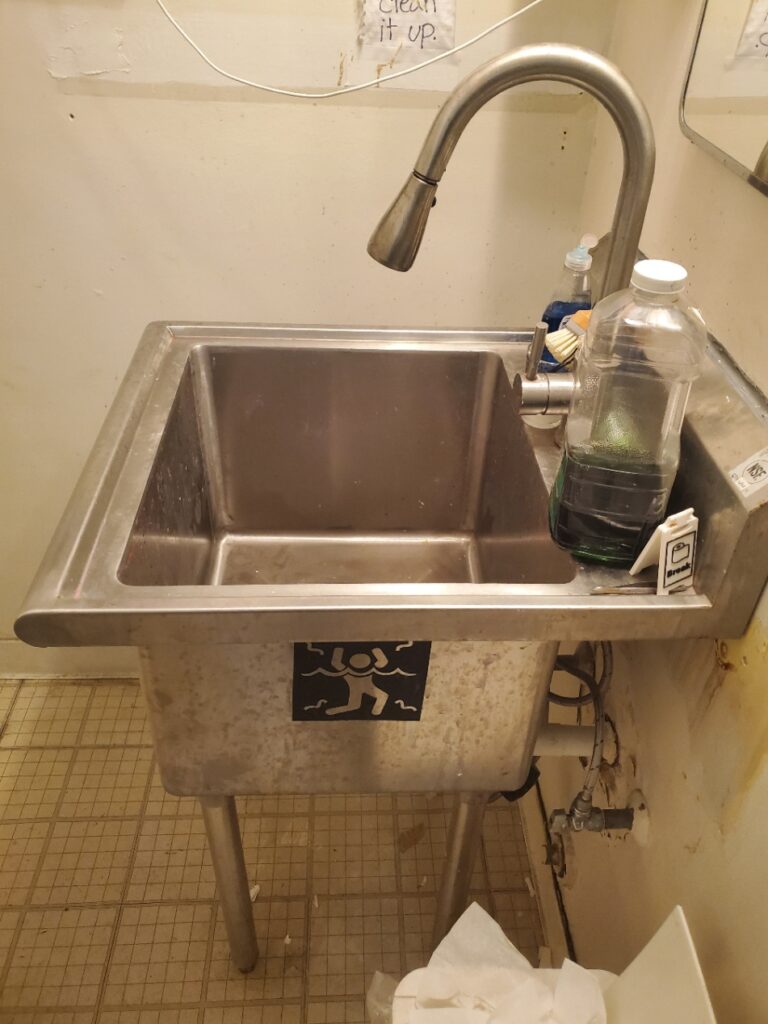
Sink
- What it does: Industrial sink with stronger soap. Use this sink for larger cleanups. Ask before dumping any heavy chemicals or mystery concoctions down the drain as we have more sensitive plumbing.
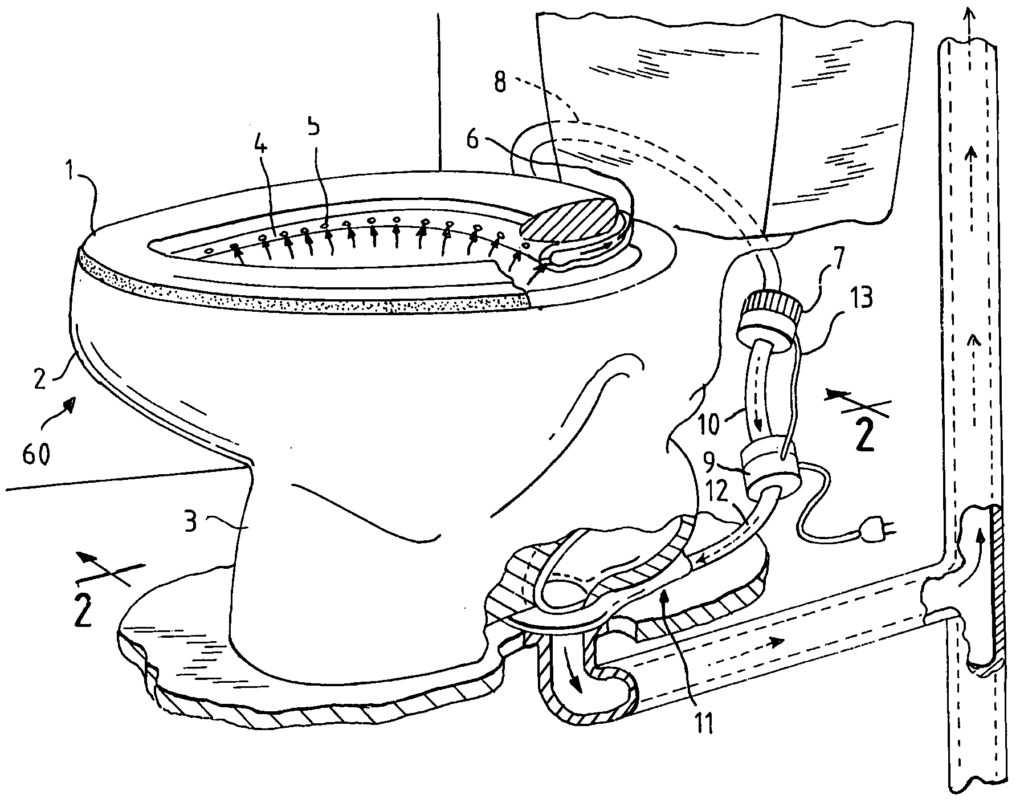
Porcelain Thrones
Contacts
Facilities Email: facilities@crashspace.org
Volunteer Facilities Committee (click to expand)
- Michael I: (He/Him) Facilities Chair
- Top level point of contact. Familiar with all of the machines.
- Lavie: (She/Her) Facilities Assistant
- Strong familiarity with Machine tools and manufacturing
- Theo: (He/ Him) Facilities Assistant
- Strong familiarity with 3d Printers and Laser cutters
- David Dye (He/Him) Facilities Assistant